

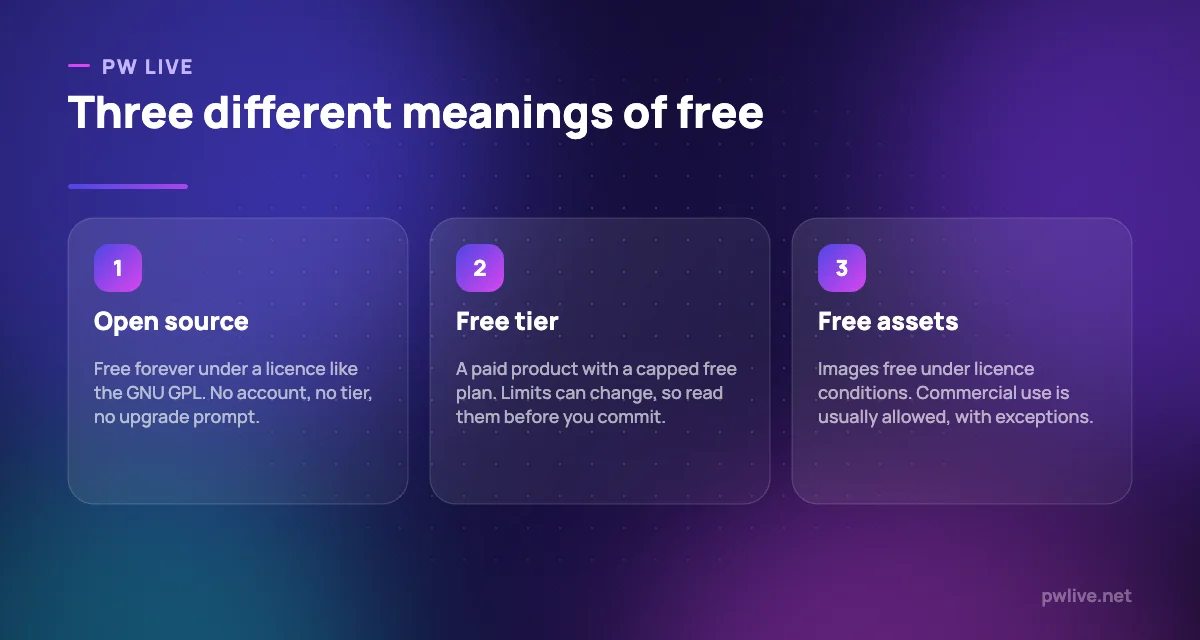
Most marketing teams do not need a design budget so much as a clear idea of which free tools they can actually rely on. The best free design tools for marketing content fall into three groups, and mixing them up causes problems: open-source software that is free forever, commercial products with a capped free tier, and asset libraries that are free under a licence with conditions attached.
This list is for small businesses, solo marketers and students producing social posts, ads, blog images and simple brand assets. Every entry below is genuinely usable without paying, and each one states exactly what free means for that tool.
Pay attention to the licence sections. If you sell anything, the conditions on the stock photo libraries are the part most likely to catch you out. Our earlier guide to free design tools covers the general beginner ground; this one is about the limits.
How we chose these tools
This round-up is based on each vendor’s or project’s own public pages — pricing pages, licence pages and project documentation — checked on 8 September 2026. We did not run hands-on trials, and nobody at PW Live tested these tools in a live account. Every price, plan limit and licence condition below was read from the source’s own page on that date, and where we could not confirm a figure we say so instead of guessing. Licences and free-tier limits change, so check them again before you rely on them commercially, and take your own advice on anything with legal weight. No vendor paid for inclusion.
1. Canva — best for fast branded marketing graphics
Canva is the fastest route from blank page to a passable social post, and its free plan is substantial: the drag-and-drop editor, a large template and asset library, and 5GB of cloud storage. For a small business publishing a few posts a week, it may never need to become a paid product.
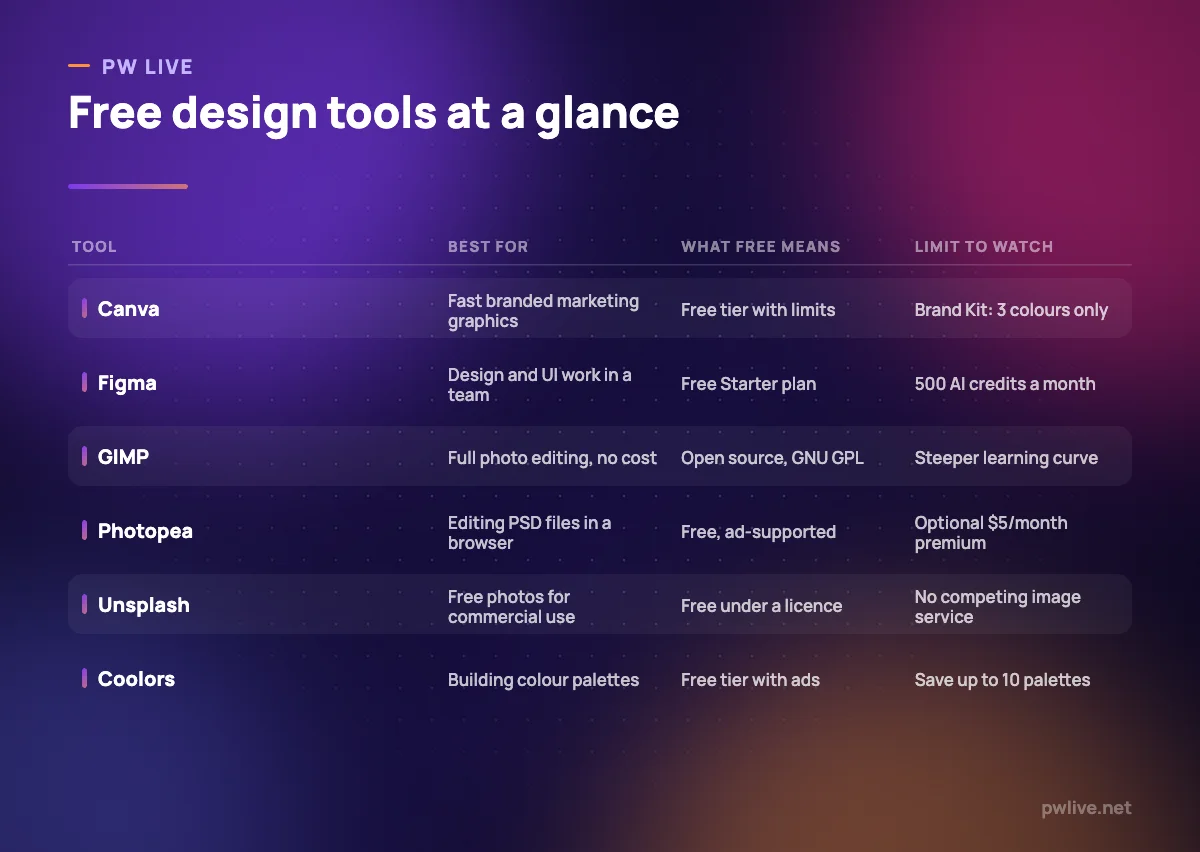
The free limits that matter are brand consistency ones. The free plan includes one Brand Kit restricted to three colours, and AI use is capped at 200 standard or 20 premium uses.
What it does well – A free plan with templates, stock assets and 5GB of storage – Design types for nearly every marketing format, sized correctly – Easy enough that non-designers actually use it
Where it falls short – The free Brand Kit allows only three colours, which is thin for real brand work – AI features are capped at 200 standard or 20 premium uses on free – Pro is billed yearly at US$180 for one person, so the upgrade is a real decision
Pricing: Free plan as described; Canva Pro US$180 per year for one person; Canva Business US$250 per year per person. Canva pricing
2. Figma — best for team design and UI work
Figma is the tool to learn if your marketing work includes landing pages, app screens or anything a developer will build. The free Starter plan includes unlimited drafts plus UI kits and templates, which is enough for one person to design and prototype properly.
The cost arrives when other people need to edit. Figma sells three seat types, and a full seat on the Professional plan is $16 per month.
What it does well – Free Starter plan with unlimited drafts, UI kits and templates – Browser-based, so nothing to install and easy to share for review – Cheaper collab and dev seats for people who only comment or inspect
Where it falls short – Free AI use is capped at 150 credits a day and 500 a month – Collaboration beyond drafts means paying per seat, from $16 a month – Heavier than Canva for a simple social graphic
Pricing: Free Starter plan; Professional $16 per full seat per month, $12 dev, $3 collab; Organization $55 and Enterprise $90 per full seat per month billed annually. Figma pricing
3. GIMP — best for full photo editing at no cost
GIMP is free software in the licensing sense, not the trial sense: it is distributed under the GNU General Public License, with no account, no tier and no upgrade path. The project describes it as built for photo retouching, image composition and image authoring, which covers most of what marketing needs from a raster editor.
It runs on your machine, so nothing you edit leaves it — useful when you are working on unreleased product images. Our explainer on open source software covers what that licence actually gives you.
What it does well – Free under the GNU GPL, with no tiers or usage caps – Handles retouching, composition and authoring in one desktop application – Works offline, keeping client and product files local
Where it falls short – The interface is unfamiliar if you learned on Photoshop or Canva – No templates or brand system, so every asset starts from nothing – Community support rather than a vendor helpdesk
Pricing: Free and open source under the GNU General Public License. About GIMP
4. Krita — best for illustration and original artwork
Krita is a free and open-source painting program released under the GNU GPL v3. It is the right pick when you want illustration that does not look like everyone else’s stock library: brand mascots, hand-drawn social graphics, illustrated blog headers.
Downloads for Windows 8.1 or later, macOS 10.15 and Linux are free. The project also sells versions through the Microsoft Store, Steam, the Epic Games Store and the Mac App Store, which add automatic updates and fund development.
What it does well – Free under GPL v3, with a serious brush engine for original artwork – Available for Windows, macOS, Linux and Android – Paid store versions exist purely for convenience and support, not features
Where it falls short – Built for painting, not photo editing or layout – No support for iPads or iPhones – Requires drawing skill; it will not rescue a non-illustrator
Pricing: Free download under GNU GPL v3; optional paid store versions add automatic updates. Krita download
5. Photopea — best for opening PSD files in a browser
Photopea is the tool to bookmark for the day a designer sends you a layered PSD and you have no Photoshop licence. It runs in the browser, opens PSD files with layers intact, and supports a long list of other formats including AI, PDF, SVG and Figma files.
It is funded by advertising rather than a subscription. A Premium account costs 5 USD per month, and the developer’s own post is unusually candid: it currently gives no extra features and exists to support the project.
What it does well – Opens and saves PSD files with layers, free, in a browser tab – Supports more than 40 formats, including AI, PDF, SVG and Figma – Nothing to install, so it works on a locked-down work laptop
Where it falls short – Ad-supported: the site notes it shows custom ads even to ad-block users – Paying 5 USD a month buys support, not features, by the developer’s own admission – Browser performance limits how large a file you can comfortably edit
Pricing: Free, ad-supported; optional Premium at 5 USD per month with no extra features stated. Photopea Premium
6. Pixlr — best for quick browser edits with AI extras
Pixlr sits between Canva and a full editor: browser-based editors for cropping, retouching and templated graphics, plus AI generation and cleanup tools. It is useful for the small jobs that interrupt a marketing day — resize this, remove that, tidy the background.
Be clear-eyed about the free tier. Pixlr lists ad-free use and unlimited saves as things the paid Plus plan adds, which tells you what the free version does not have, and the pricing page did not set out the free plan’s exact limits when we checked.
What it does well – Editors usable free in a browser with no install – Cheap entry point at $1.99 per month billed yearly for the Plus tier – AI credits included on every paid tier for generation and cleanup
Where it falls short – Free use comes with ads and save limits, implied by what Plus removes – The free plan’s exact limits are not stated on the pricing page – AI credit allowances are the real difference between tiers, and they run out
Pricing: Free browser editors; Plus $2.49 per month or $1.99 billed yearly; Premium $9.99 or $7.99 yearly; Ultra from $24.99 or $19.99 yearly. Pixlr pricing
7. Unsplash — best for free photos you can use commercially
Unsplash is a large library of photographs offered under its own licence. That licence grants the right to download, copy, modify, distribute and use images for free, including for commercial purposes, without asking permission or crediting the photographer, although credit is appreciated.
There is one important carve-out: the licence does not include the right to compile images from Unsplash to replicate a similar or competing service. Read the licence yourself before building anything that redistributes images at scale.
What it does well – Commercial use permitted with no attribution requirement – Modification and distribution are explicitly allowed – Strong, consistent photography suited to blog and ad creative
Where it falls short – You may not compile its images into a competing or similar service – Popular images appear on thousands of sites, weakening brand distinctiveness – Model and property releases are not guaranteed, which matters for advertising
Pricing: Free assets under the Unsplash licence. Unsplash licence
8. Pexels — best for free stock photos and video
Pexels covers both photos and video under a licence that also allows commercial use without attribution, and explicitly permits editing. Its restrictions are spelled out more fully than most, which makes it easier to brief a team on.
Those restrictions matter for sellers. You may not sell unaltered copies as a poster, print or physical product; identifiable people may not appear in a bad light or in an offensive way; you may not imply endorsement by people or brands; you may not redistribute the files on other stock platforms; and you may not use the imagery in a trademark, design mark or business name. If you are photographing your own products instead, our guide to product photos with a phone is the better route.
What it does well – Photos and video under one clearly written licence – Commercial use allowed and attribution not required – Editing explicitly permitted, so images can be adapted to your brand
Where it falls short – Selling unaltered copies on physical products is prohibited – No implied endorsement, which rules out some ad concepts – Video selection is much smaller than the photo library
Pricing: Free assets under the Pexels licence. Pexels licence
9. Coolors — best for building a colour palette
Coolors solves the small problem that quietly ruins amateur marketing design: colour. Generate a palette, lock the colours you like, regenerate the rest, and export the codes into whatever tool you are using. Even the free version fixes the habit of picking colours one at a time.
The free tier is capped in ways worth knowing: palettes of up to five colours, up to ten saved palettes, one project and one collection, five saved favourite colours, and ads on the page.
What it does well – Generates workable palettes in seconds, with lockable colours – A large library of ready-made schemes to start from – Colours can be picked from an uploaded image to match existing branding
Where it falls short – Free plan saves only 10 palettes and allows 1 project and 1 collection – Free palettes are limited to five colours, and the site shows ads – We could not confirm the exact Pro rate on the pricing page
Pricing: Free tier as described; a paid Pro plan removes the ads and limits, rate unconfirmed at the time of checking. Coolors pricing
How to choose between them
Start with the format you produce most. Social posts and ads: Canva, plus Coolors for a palette and one of the stock libraries for imagery. Web and product design: Figma. Photo work: GIMP if you want a desktop application you own, Photopea if you want a browser tab, Pixlr if the jobs are small and frequent.
Then decide how much the word free needs to hold up. If a limit changing would break your workflow, choose open source: GIMP and Krita cannot introduce a paywall on files you already made. If convenience matters more, free tiers are fine, but check the specific caps — three brand colours, ten saved palettes, 500 AI credits — because those are what you will hit first.
Finally, treat asset licences as a business decision rather than a formality. Both libraries here allow commercial use without credit, and both carry conditions: no competing image service on Unsplash, no selling unaltered copies or implying endorsement on Pexels. If you are unsure whether your use is covered, take proper advice rather than a forum answer. For planning what to make in the first place, our social media strategy guide and the digital marketing skill track are the practical next steps, and there are more picks in free tools for documents and across our apps and tools section.
Key takeaways
- Free means three different things here: open source, capped free tier, or licensed assets
- Canva’s free Brand Kit allows only three colours, which limits real brand consistency
- GIMP and Krita are free under the GNU GPL, with no tiers to be moved between
- Photopea is ad-supported, and its 5 USD premium adds support rather than features
- Unsplash and Pexels both allow commercial use without attribution, with conditions
- Pexels prohibits selling unaltered copies, which matters if you sell printed products
Frequently asked questions
Can I use Unsplash and Pexels images in paid advertising?
Both licences allow commercial use without attribution, but neither guarantees model or property releases, and Pexels prohibits implying endorsement by the people shown. For paid advertising featuring recognisable faces or brands, licensed stock with releases is the safer route.
Is Canva’s free plan enough for a small business?
Often, yes, for social posts and simple documents. The limits you will feel first are the single Brand Kit with three colours and the AI usage caps. If several people need to work from the same brand assets, the paid plans start to earn their price.
What is the difference between GIMP and Photopea?
GIMP is open-source software installed on your computer, licensed under the GNU GPL. Photopea is a free, ad-supported web application that opens PSD files in a browser. Choose GIMP for offline work you control, Photopea for quick access to layered files.
Do I have to credit the photographer?
Not under the Unsplash or Pexels licences as published: both state attribution is not required, though appreciated. Other libraries differ, and some require credit, so check the licence page of any source you have not used before.
Pricing checked 2026-09-08. 8 of 9 prices in this article were read from the vendor’s own pricing page on that date; the rest publish no figure, so we describe the model instead. Vendors change prices without notice, so open the linked page before you commit.
Keep learning with PW Live
Browse every tool comparison, or follow the Digital Marketing track to learn the skills these tools support.




Leave a Reply