

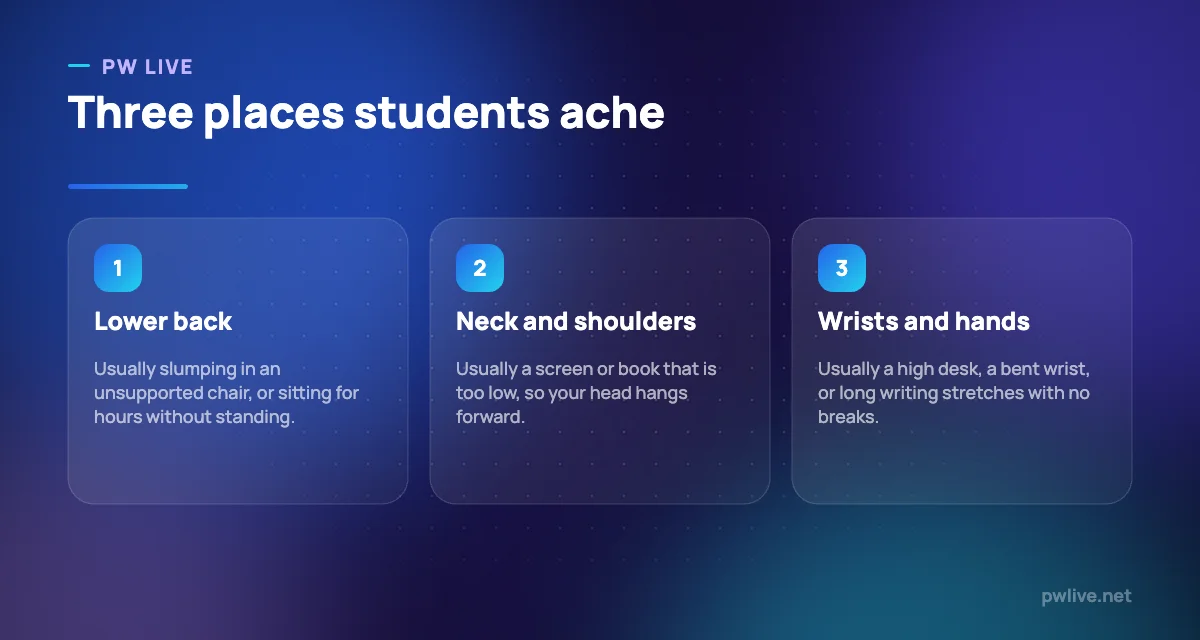
Bad study posture is the reason a productive week can end with an aching lower back, a stiff neck and wrists that hurt when you write. It builds slowly, which is why most students only notice it once it is already a daily problem.
The causes are almost always ordinary: a laptop on a bed, a chair that is the wrong height, a book flat on the table, and three hours without standing up.
The fixes are equally ordinary, cost very little, and take about fifteen minutes to put in place. This guide covers the setup, the habits, and what to do if pain has already started.
Why study posture matters more than it sounds
This is not about sitting up straight for its own sake. It is about how many hours you can study comfortably before your body starts demanding your attention.
Discomfort is a focus problem before it is a health problem. When your shoulders ache, your concentration goes to your shoulders, and you start fidgeting, shifting and reaching for your phone without knowing why.
Over months, the same positions repeated daily can turn into persistent stiffness or pain that follows you outside study hours. It is far easier to prevent than to fix.
Fix the chair and desk before anything else
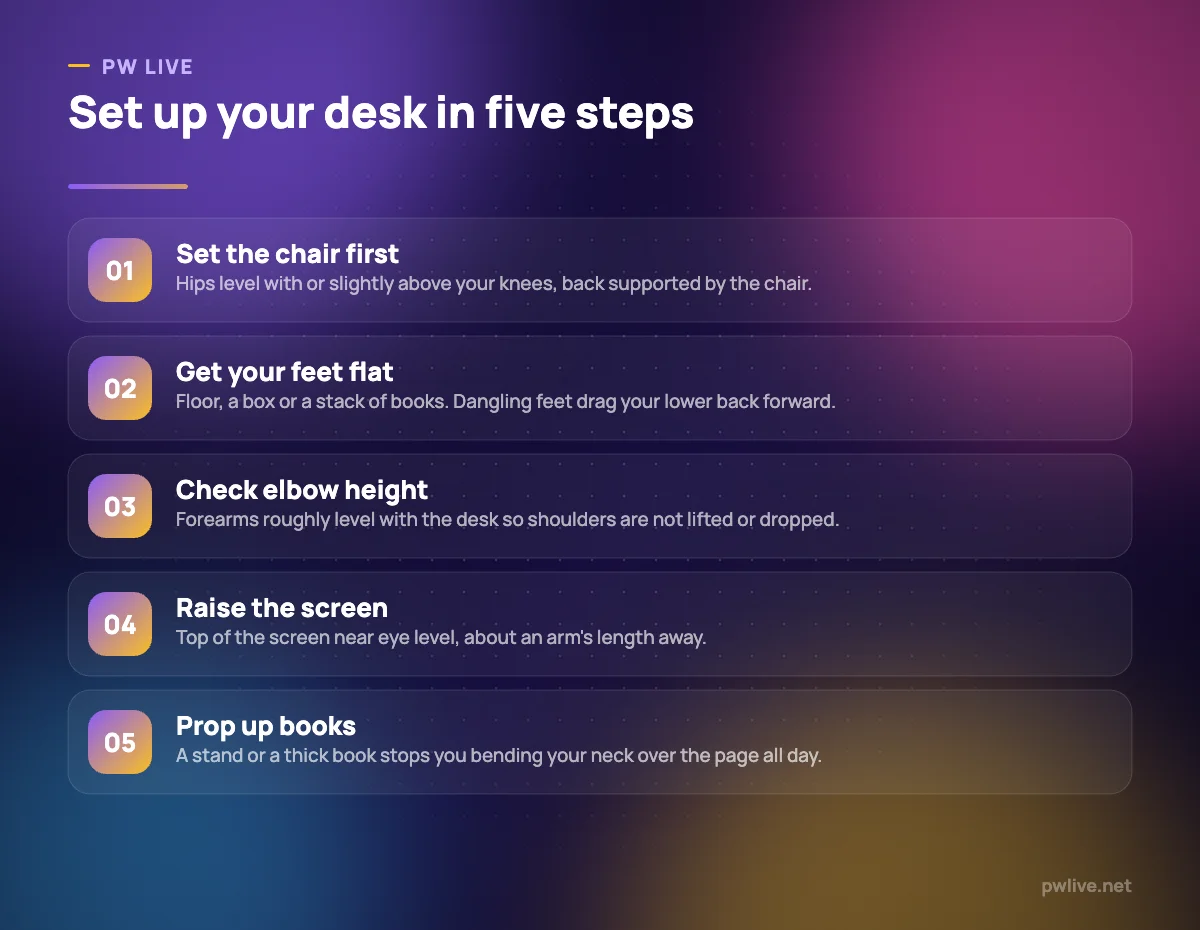
Work from the ground up. Almost every posture problem starts below the screen.
Sit back in the chair so your lower back is supported rather than hovering in mid-air. If the chair has no support, a cushion or a rolled towel behind your lower back does the job.
Get your feet flat. If the chair is too high, put a box or a stack of books under your feet. Dangling feet pull your pelvis forward and round your lower back.
Then check your elbows. Your forearms should sit roughly level with the desk. If the desk is too high, your shoulders lift and your wrists bend. If it is too low, you hunch.
Raise the screen, lower the keyboard
A laptop forces a compromise: if the screen is at the right height, the keyboard is too high, and if the keyboard is right, the screen is too low. Most students accept the second option and pay for it in their neck.
The cheap fix is to raise the laptop on a stand or books until the top of the screen is near eye level, then use a separate keyboard and mouse at desk height. A basic keyboard is one of the highest-value purchases a student can make.
If a separate keyboard is not possible, at least raise the laptop for reading and lower it for typing, and avoid working on a bed or sofa for long sessions. Our guide on how to choose a laptop covers screen size and comfort, and the screen fatigue guide covers glare, brightness and eye strain, which usually travel with neck ache.
Books and handwriting
Reading a book flat on a table bends your neck at the sharpest angle of your day. Prop the book up on a stand, a folded cloth or another thick book so you are looking forward rather than straight down.
For long writing sessions, keep your wrist relatively straight, hold the pen loosely rather than gripping, and shake your hand out between sections. A tight grip over three hours is a common source of hand pain in exam season.
The habit that matters more than any chair
There is no perfect posture, only a posture you have held for too long. The best desk setup in the world will still ache if you sit rigid in it for four hours.
Change position regularly. Stand up at the end of every study block, walk for a minute or two, roll your shoulders, and look at something far away.
Simple movements that generally help between blocks:
- Stand and gently arch backwards to reverse the sitting shape.
- Roll your shoulders backwards several times, slowly.
- Turn your head slowly side to side and look up, without forcing anything.
- Open your chest by drawing your shoulder blades together.
- Stretch your hip flexors by taking a long step forward and sinking slightly.
- Open and close your hands, then gently stretch each wrist.
Keep everything gentle. Stretching should feel like release, never like pain. Building a little regular movement into your week helps more than any single stretch, which is what our simple exercise routine for students is designed for.
Studying in a small or shared space
Not everyone has a desk. Plenty of students study on a bed, at a dining table or in a shared room, and that is workable with a few adjustments.
At a dining table, the chair is usually too low relative to the table, so sit on a cushion and put something under your feet. On the floor, sit against a wall with a cushion behind your lower back and prop your book or laptop up on a low table rather than on your lap.
If you must use a bed occasionally, keep it short, sit up against the headboard with support, and raise the laptop. Do not make it your default position. Our study space setup guide covers building a workable spot in a small or shared home.
Planning study blocks around your body
Structure your sessions so movement is built in rather than remembered. Decide the length of the block before you start, and treat standing up at the end as part of the block rather than an interruption.
Alternate the type of work where you can: a screen block, then a handwriting block, then a walking recall block where you test yourself out loud. Varying the task varies the position, which is half the battle.
Our deep work routine for students covers structuring focused blocks, and the lifestyle and productivity archive and productivity skill track go further on building sustainable routines.
If pain has already started
General setup advice is prevention, not treatment. If you already have pain, treat it as information rather than something to push through.
Adjust the setup, reduce the unbroken sitting time, and keep moving gently within a comfortable range. Complete rest is rarely the answer, and neither is gritting your teeth through hours of discomfort.
Please speak to a doctor or a qualified physiotherapist if pain is persistent, worsening, waking you at night, spreading down an arm or leg, or coming with numbness, tingling or weakness. The same goes if pain is affecting your daily life, your sleep or your ability to study. That conversation is worth having early, and if study pressure is part of what is keeping you at the desk too long, talk to a teacher, a counsellor or a trusted adult or friend as well. You can find more in our health and wellness archive.
Key takeaways
- Study pain usually comes from a low screen, an unsupported chair, a wrong desk height and hours without moving.
- Set up from the floor upwards: chair, feet, elbows, then screen.
- Raise your laptop and use a separate keyboard if you can. It is the single best fix for neck ache.
- Prop books up instead of reading them flat on the table.
- No posture is fine forever. Stand, move and change position at the end of every study block.
- Persistent, worsening or spreading pain deserves a doctor or physiotherapist, not more willpower.
Frequently asked questions
What is the correct posture for studying?
Feet flat, lower back supported, forearms roughly level with the desk, screen near eye level and shoulders relaxed. More importantly, no single position held for hours, however good it looks.
Can studying on a bed cause back pain?
It commonly contributes to it, because your back is unsupported and the screen or book ends up far too low. Occasional use is fine, but it is a poor default for long sessions.
How often should I take breaks to avoid stiffness?
Often enough that you never sit rigid for hours. Standing up, walking briefly and moving your shoulders at the end of each study block is usually enough to prevent the build-up.
My wrist hurts when I write for a long time. What should I do?
Loosen your grip, keep the wrist reasonably straight, and pause to shake out your hand between sections. If the pain keeps returning, worsens, or comes with numbness or tingling, see a doctor rather than working through it.
Keep learning with PW Live
Browse every guide in Health & Wellness, or pick a skill track and follow the roadmap step by step.





Leave a Reply