

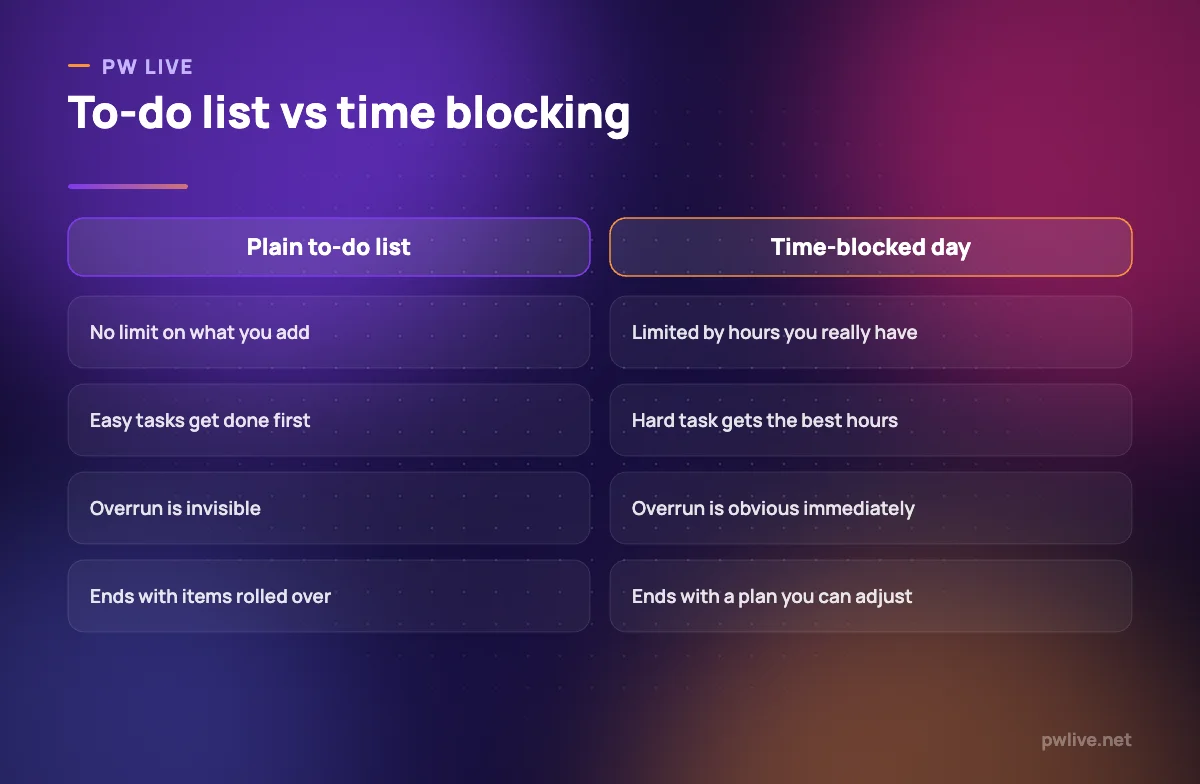
Time blocking fixes the gap between a to-do list and a real day. A list tells you what you owe; a blocked day tells you when each thing will actually happen, and forces you to admit when there is no room left.
The method is simple. You divide the usable hours of your day into named blocks and give each block one job. What makes it work is not the software or the colour coding, but the honesty: you can only block time you genuinely have.
This guide covers how to size blocks, where to put the hard work, how to survive interruptions, and what to do when the whole plan slides by 11am.
What time blocking is, and what it is not
A block is a start time, an end time and one task. Not a category, not a wish, not “study”. Something like: 7:30 to 8:45, organic chemistry problem set, questions 1 to 12.
It is not a schedule of your entire waking life. Blocking every hour from waking to sleeping produces a plan that breaks in the first ninety minutes and takes your motivation with it.
Two things it does well:
- It exposes over-commitment before the day starts, not at midnight
- It removes the “what should I do now” decision that eats the first ten minutes of every free hour
Two things it does not do: create hours that do not exist, and make you want to do the task.
Find your real available hours first
Before blocking anything, subtract the fixed parts of the day: classes, shift hours, travel, meals, family duties, the time you are needed at home. What remains is your budget.
For most students and working learners that budget is smaller than expected, often three to five usable hours on a weekday. Plan against the real number. A plan built on eight imaginary hours fails every single day and teaches you that planning does not work, which is the wrong lesson.
Write the budget down once a week rather than once a day. Our guide to a weekly study timetable that survives real life walks through the weekly version of this, and time blocking is how you spend each day within it.
Size the blocks to the task, not to the clock
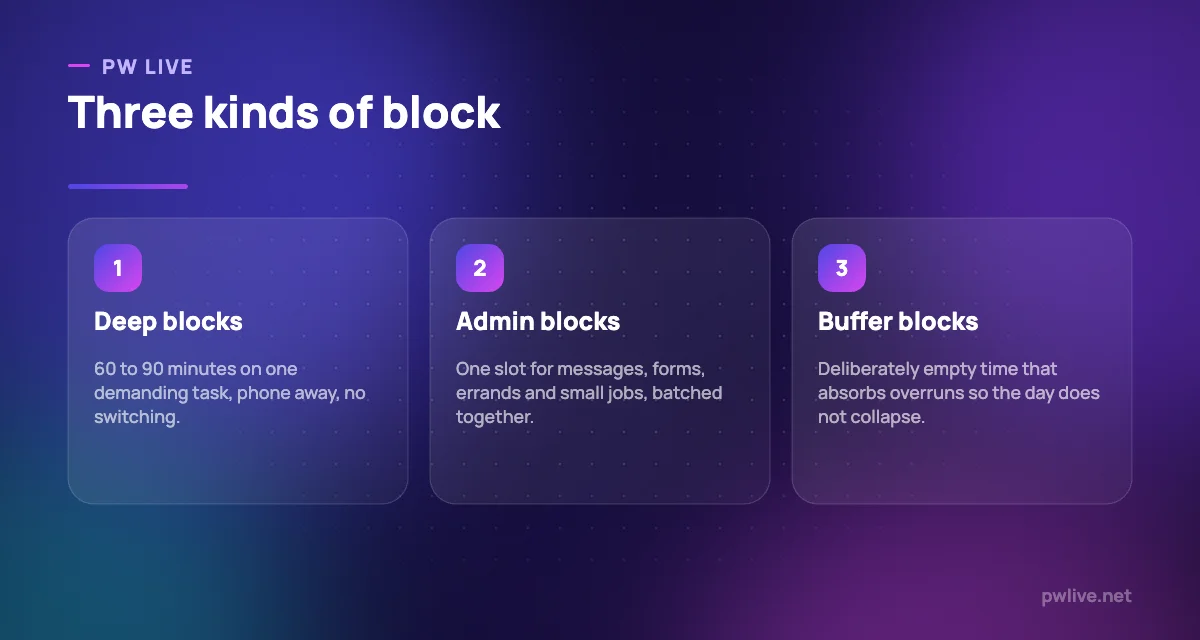
Blocks work best between 45 and 90 minutes for demanding work, and 20 to 30 minutes for shallow work. Longer than 90 minutes and attention drifts; shorter than 45 and you spend most of it warming up.
Three practical rules:
- One task per block. If it needs two subjects, it is two blocks.
- Name the finish line. “Revise physics” is unblockable. “Finish rotational motion notes and do 10 questions” has an end.
- Leave 10 minutes between blocks. Real transitions take time. Back-to-back blocks are a fantasy.
If you keep guessing the length wrong, time yourself for a week without changing anything. Most people underestimate familiar tasks by about a third, and there is no way to correct that except by measuring your own work.
Put your hardest task in your best hours
Your attention is not evenly distributed across the day. Identify the two or three hours when you think most clearly and defend them for the work that needs your brain, not your hands.
Everything else goes around that: messages, printing, form filling, errands and organising all belong in a single admin block, ideally in the slump hours. Batching admin stops it from eating the good hours in five-minute pieces.
This is why blocking works better when it is paired with attention to when you are actually sharp. Our guide to managing your energy rather than only your time covers how to find your good hours and protect them.
Protect the block from interruptions
A block that anyone can walk into is not a block. Protection is mostly social and physical, not technological.
- Tell the people you live with the specific end time, not “I am studying”. “I am free at 8:45” is easy to respect.
- Put the phone in another room, or at least out of arm’s reach and face down.
- Keep a scrap sheet beside you. When a stray thought arrives, write it down and continue. It goes into the admin block.
- Close every tab that is not the task. Reopening one tab is a small cost; leaving nine open is a permanent one.
For interruptions from other people that keep repeating, the underlying skill is boundary setting. Our guide to saying no and protecting your study time has the actual sentences to use.
Build in buffers so the plan can bend
The most common reason time blocking fails is that the plan has no slack. One overrun cascades into every later block, the day is visibly ruined by noon, and the whole method gets abandoned.
Leave at least two empty blocks a day. Treat them as reserve, not as free time. If nothing overran, you get a genuine break or you pull tomorrow’s work forward. Either outcome is good.
Also decide in advance what gets cut when the day compresses. Rank your blocks: which one is non-negotiable, which is useful, which is optional. When the day shrinks, you cut from the bottom without a negotiation with yourself.
Choose a format you will actually maintain
Paper and digital both work. What matters is that the plan is visible while you work.
- Paper. A single page with the hours down the left. Fast, no notifications, easy to redraw.
- Calendar app. Best if your day already has fixed events in it, and useful for repeating blocks. Our guide to using a calendar app as a study planner covers the setup.
- Spreadsheet. Good for weekly patterns and for tracking planned against actual hours.
Spend two minutes at the end of each day blocking tomorrow. Doing it the night before means you start the morning executing rather than deciding.
When the whole day slides
It will happen. Someone falls ill, the bus does not come, the shift runs long. Do not rebuild the full day from scratch.
Ask one question: what is the single most important block left? Do that one, at reduced length if needed. Thirty minutes on the thing that matters beats an hour spent redesigning a schedule.
If your blocks keep collapsing because of avoidance rather than events, that is a different problem, and our practical toolkit for beating procrastination addresses it directly. For focused work once the blocks hold, the deep work routine for students shows what to do inside a 90-minute block. You will find more planning guides in the lifestyle and productivity archive and the productivity skill track.
Key takeaways
- Subtract fixed commitments first and block only the hours you genuinely have.
- One task per block, with a named finish line and a 10-minute gap after it.
- Give your hardest work your sharpest hours and batch all admin into one slot.
- Keep two empty buffer blocks so a single overrun cannot ruin the day.
- Rank blocks in advance so you know what to cut when time compresses.
- Plan tomorrow tonight, in whatever format stays visible while you work.
Frequently asked questions
How many hours a day should I time block?
Block only your realistic free hours, which is often three to five on a weekday. Blocking more than you have is the fastest way to abandon the method.
What if I never finish a block on time?
Time yourself for a week without changing anything, then add roughly a third to your estimates. Consistent overruns are an estimating problem, not a discipline problem.
Should I block weekends too?
Block two or three anchor slots and leave the rest open. Fully blocked weekends remove the recovery that makes the weekdays work.
Is time blocking the same as the Pomodoro technique?
No. Pomodoro sets a fixed work and break rhythm inside a session, while time blocking decides which task owns which part of the day. Many people use both, with short timers running inside a longer block.
Keep learning with PW Live
Browse every guide in Lifestyle & Productivity, or pick a skill track and follow the roadmap step by step.





Leave a Reply