

Open source software runs a startling amount of the world, and most people using it have no idea. The browser you are reading this in, the servers delivering the page, the tools behind almost every app on your phone: open source components sit somewhere in that chain.
The idea is straightforward. The source code, the human-readable instructions that make the software work, is published openly. Anyone can read it, run it, change it and share their version, within the terms of a licence.
This guide covers what the licences actually require, how projects are governed, who pays for the work, and what open source realistically offers a student or a small business today.
What “open source” actually means
Publishing code on the internet is not enough to make it open source. The term describes a set of freedoms granted by the licence attached to the code.
Broadly, an open source licence gives you four things:
- The freedom to use the software for any purpose, including commercially.
- The freedom to study how it works, because you can read the source.
- The freedom to modify it to suit your needs.
- The freedom to distribute your original or modified version to others.
If a licence stops you doing any of these, the software is “source available” rather than open source. That distinction matters commercially, because some companies publish code under terms that forbid competing use.
The related term free software refers to the same freedoms with more emphasis on the ethical case. The word “free” here means freedom, not price. Plenty of open source software is sold commercially, and plenty of zero-cost software is entirely closed.
Licences: the part that actually binds you
Every open source project carries a licence, and the licence is the rulebook. They fall into two broad families.
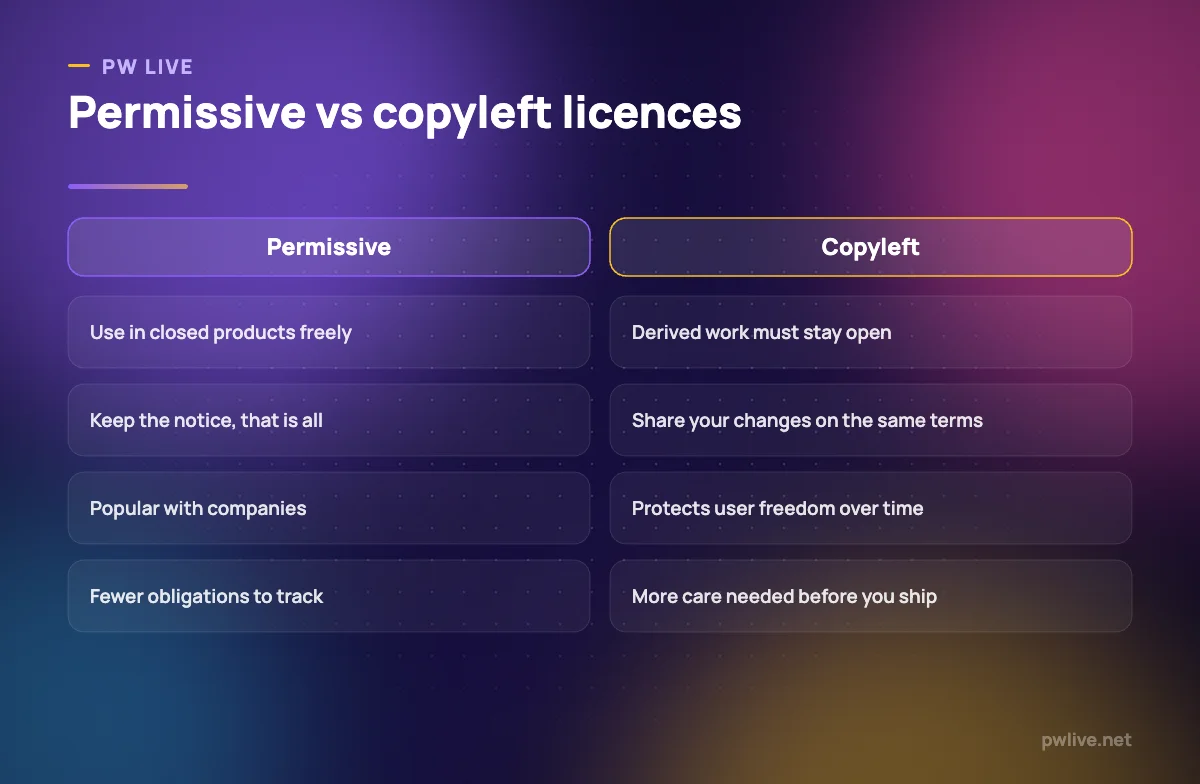
Permissive licences ask very little. Do what you like, including building a closed commercial product on top, as long as you keep the copyright notice and licence text. Companies favour these because they create almost no obligations.
Copyleft licences add one significant condition: if you distribute a modified version, your version must be released under the same terms. The intent is to keep the freedoms attached to the code as it travels, so improvements flow back rather than disappearing into closed products.
Some copyleft licences extend this to software you provide as a network service, not just software you ship as a file. That detail catches businesses out.
Three practical rules:
- Check the licence before you build on something. It is a file in the project, usually named clearly.
- Know the difference between using and distributing. Running open source internally carries almost no obligation. Shipping it to customers may.
- Keep a list of what you depend on. If you sell software, you should be able to say what is inside it.
How open source projects are actually run
The popular image is a lone volunteer. The reality is more varied and worth understanding before you rely on a project.
Individual projects are maintained by one or a few people, often in their spare time. Fast to move, but vulnerable: if the maintainer loses interest, the project stalls.
Foundation-governed projects sit under a neutral non-profit with published governance rules, contributor agreements and a formal decision process. Slower, but far more predictable.
Company-backed projects are developed primarily by one organisation that publishes the code. You get real engineering investment and a roadmap, but the direction serves the company’s interests, and licences occasionally change.
Most projects use similar machinery: a public code repository, an issue tracker for bugs and requests, a review process before changes are merged, and maintainers who decide what gets accepted. That transparency is genuinely useful. Before adopting a project, you can look at how recently it was updated, how quickly issues get answered, and how many people have commit access. A project with one maintainer and no activity for two years is a risk regardless of how good the code is.
Who pays for it, and why companies contribute
“Free software written by volunteers” is only part of the story. A great deal of widely used open source is written by people being paid to write it.
Companies contribute for unsentimental reasons:
- Shared cost on shared problems. No single company wants to maintain an operating system alone.
- Standards and adoption. Open code becomes the default, which benefits whoever builds services around it.
- Hiring. Visible contributions attract developers who already know the codebase.
- Selling something adjacent. Open core products, hosted versions, support contracts and certification all monetise around free code.
Funding also comes from foundations, sponsorship platforms, grants and dual licensing, where the same code is available under copyleft terms free of charge and under commercial terms for a fee.
The uncomfortable truth is that funding is uneven. Some critical, widely depended-upon libraries are maintained by very few people with very little support. This is a genuine structural risk in the software supply chain, not a hypothetical one.
What open source gives students
For a student, the value is not mainly the zero price tag. It is access to something otherwise unavailable.
You can read professional code. Every serious project is an open textbook of how experienced engineers structure real systems, handle errors and write tests. Nothing in a course gives you that.
You can build a public track record. Accepted contributions are verifiable evidence that someone reviewed your work and merged it. That is far more persuasive than a certificate, and it is exactly the kind of proof our guide to building a portfolio when you have no work experience argues for.
You learn the professional workflow. Version control, code review, issue triage, writing a clear description of a change. These are the daily mechanics of software work, and most graduates arrive without them.
You get full-strength tools for nothing. Design, statistics, development environments, databases and operating systems, without a student licence that expires.
If you learn best by doing rather than watching, contributing fits neatly with the approach in teaching yourself with projects instead of tutorials.
What open source gives a small business
The obvious benefit is cost, but the durable benefits are control and exit.
- No per-seat licence trap. Costs do not scale painfully as your team grows.
- You can inspect and audit. Important if clients ask what happens to their data.
- You are not locked in. If a hosted provider raises prices, you can usually self-host or move.
- You can modify it. Rare, but occasionally decisive when you need something no vendor will build.
The realistic costs are worth naming. You may need more in-house skill, support is often community-based rather than contractual, and setup can take longer. For many businesses the sensible middle path is paid hosting of an open source product: you get the portability without running the servers, which fits the model described in cloud computing basics.
Free and open tools cover most everyday business needs, from documents to design work, as our roundup of free design tools for students and small businesses shows.
The risks, honestly
Open source is not automatically safer or better. It has specific failure modes.
Abandonment. Projects go quiet. Check the commit history and issue responsiveness before depending on one.
Support expectations. Nobody owes you a fix. If your business needs guaranteed response times, buy a support contract or pick a commercially backed option.
Supply chain risk. A modern application pulls in hundreds of indirect dependencies. A compromise deep in that tree affects everyone above it. Pin your versions, use tools that flag known vulnerabilities, and review what you add.
Licence mistakes. Mixing incompatible licences in a product you sell creates real legal exposure. Track what you use.
“Many eyes” is optimistic. The theory that open code gets thoroughly reviewed holds for popular projects and not for the long tail.
How to start contributing
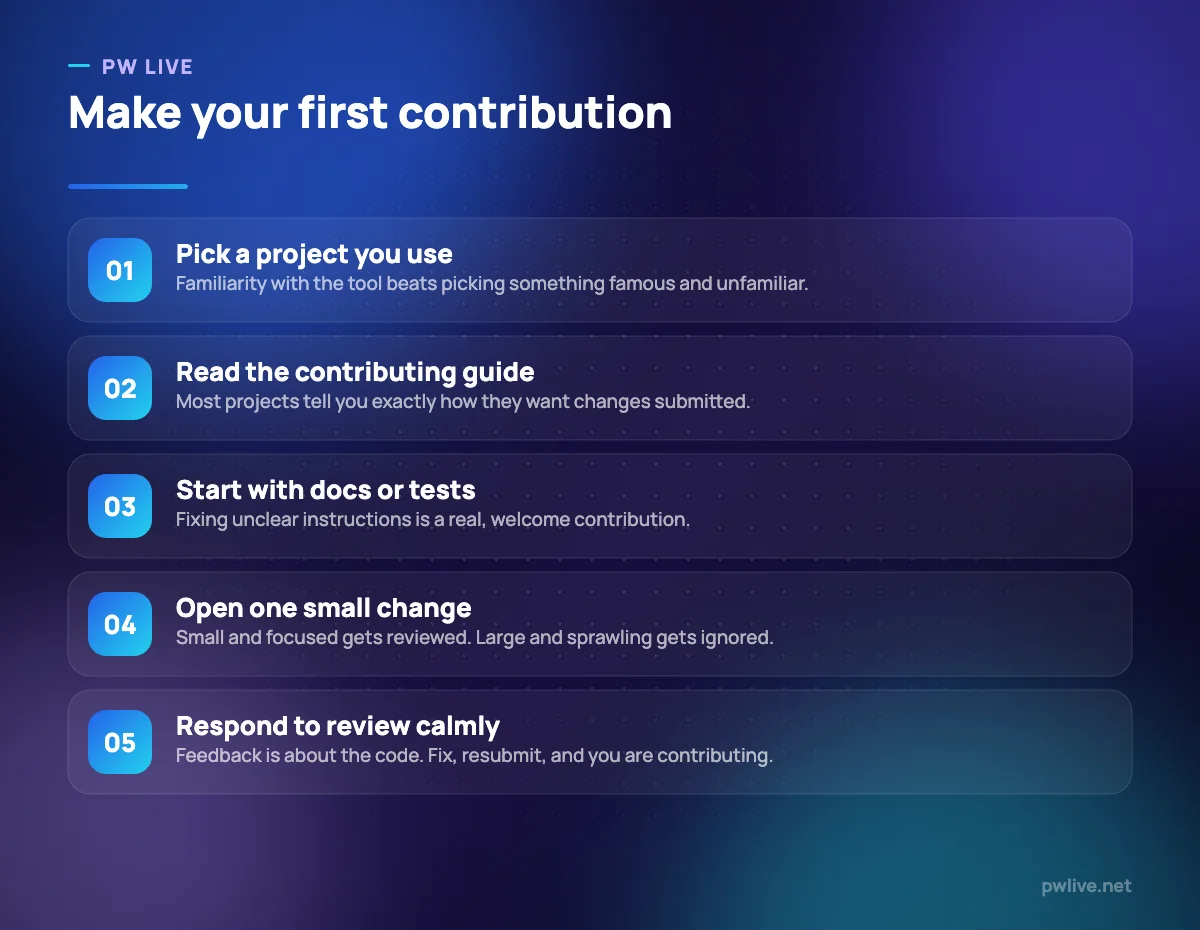
Begin with a project you already use, because you understand the problem it solves. Read its contributing guide, which usually spells out the process precisely.
Documentation is the most undervalued entry point. If the setup instructions confused you, fixing them helps every future newcomer, and maintainers welcome it. Reproducing and clarifying bug reports is similarly valuable.
Keep your first change small and self-contained. A one-file fix with a clear description gets reviewed; a sprawling rewrite gets left. Expect review feedback and treat it as normal engineering practice rather than criticism.
For the technical foundations, the coding and programming track covers version control and testing, and the broader technology section has related guides, including the plain-English explanation of what an API is that you will need when reading unfamiliar code.
Key takeaways
- Open source means licensed freedoms to use, study, modify and share, not just visible code.
- Permissive licences ask little; copyleft licences require derived work to stay open.
- Check who maintains a project and how active it is before you depend on it.
- Much open source is funded by companies for practical business reasons, not charity.
- Contributing builds verifiable evidence of skill and teaches the professional workflow.
- The real risks are abandonment, supply chain exposure and licence mistakes. Track what you use.
Frequently asked questions
Is open source software free of cost?
Usually the software itself is, but “open source” describes the licence, not the price. Costs can appear as hosting, support contracts, or the time your team spends running and maintaining it.
Can I use open source code in a product I sell?
Often yes, but it depends entirely on the licence. Permissive licences generally allow it with attribution, while copyleft licences may require you to release your derived work under the same terms.
Is open source software more secure than closed software?
Not automatically. Widely used projects benefit from many reviewers and fast public patching, but obscure projects may get very little scrutiny. Security depends on the project’s activity and practices, not on openness alone.
Do employers value open source contributions?
Yes, because they are verifiable. A merged change shows that a maintainer reviewed your work, that you can follow a process, and that you can accept feedback, which is exactly what employers say they want from graduates.
Keep learning with PW Live
Browse every guide in Technology & Software, or pick a skill track and follow the roadmap step by step.





Leave a Reply