

Project-based learning is the fastest way to turn knowledge you half remember into a skill you can use. Most self-taught learners know this and still spend months in tutorials, because tutorials feel safe and projects feel like standing at the edge of a cliff.
The gap is not motivation. It is that nobody explains how to choose a project, how small it should be, or what to do in the hours when nothing works.
This guide covers that practical layer, so you can leave the course library without floundering.
Why tutorials feel productive and teach so little
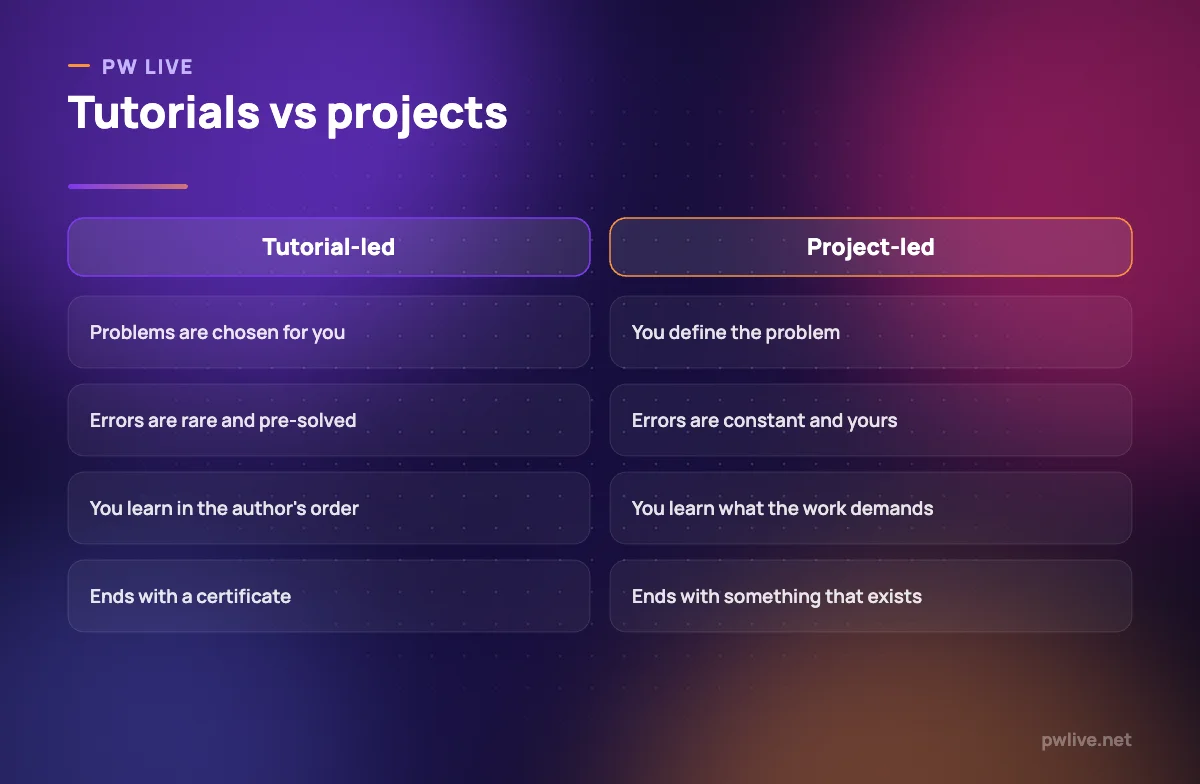
A tutorial removes every hard part of real work. The problem is chosen, the approach is decided, the pitfalls are edited out, and the author has already made all the decisions you are supposed to be learning to make.
What you are practising, then, is following instructions. That is a genuine skill, but it is not the skill you are trying to acquire.
The symptoms are familiar to anyone who has been stuck in this loop:
- You can follow along perfectly but freeze on a blank page
- Every new topic feels like it needs another course before you can start
- You have finished many courses and cannot point to anything you made
- You remember what to type but not why
Tutorials are excellent for one thing: the first few hours of a completely unfamiliar subject, where you need vocabulary and a mental map. After that, their returns fall off sharply, and our guide on learning from free resources without getting lost covers how to keep them in a supporting role.
What counts as a project
A project has four properties. If any is missing, you are doing an exercise.
- It has a user, even if that user is you. Someone should be better off when it exists.
- You defined the requirements. Not a brief handed to you complete.
- It can fail. There is a version of finishing that would be unsatisfying.
- It ends in something that exists and can be shown to another person.
Rebuilding a tutorial project with different content does not qualify. Rebuilding it with a different requirement you invented, and no tutorial open, does.
How to choose your first project
The best first project sits at the intersection of three things: it uses the skill you are learning, it solves an annoyance you actually have, and it is small enough to finish in two to four weeks of part-time work.
Some reliable starting points:
- Automate something you currently do by hand every week
- Rebuild a page, report or process at your college or workplace that is clearly bad
- Make a tool for a hobby you already have, where you know the requirements cold
- Take a public dataset and answer a question nobody has asked of it
- Offer one small piece of work to a local organisation for free
Ambition is not the constraint; scope is. A tiny finished project teaches more than a large abandoned one, and it gives you something for the portfolio you will need later, as our guide to building a portfolio with no work experience explains.
Scope it so you actually finish
Almost every failed self-set project failed because it was too big at the start.
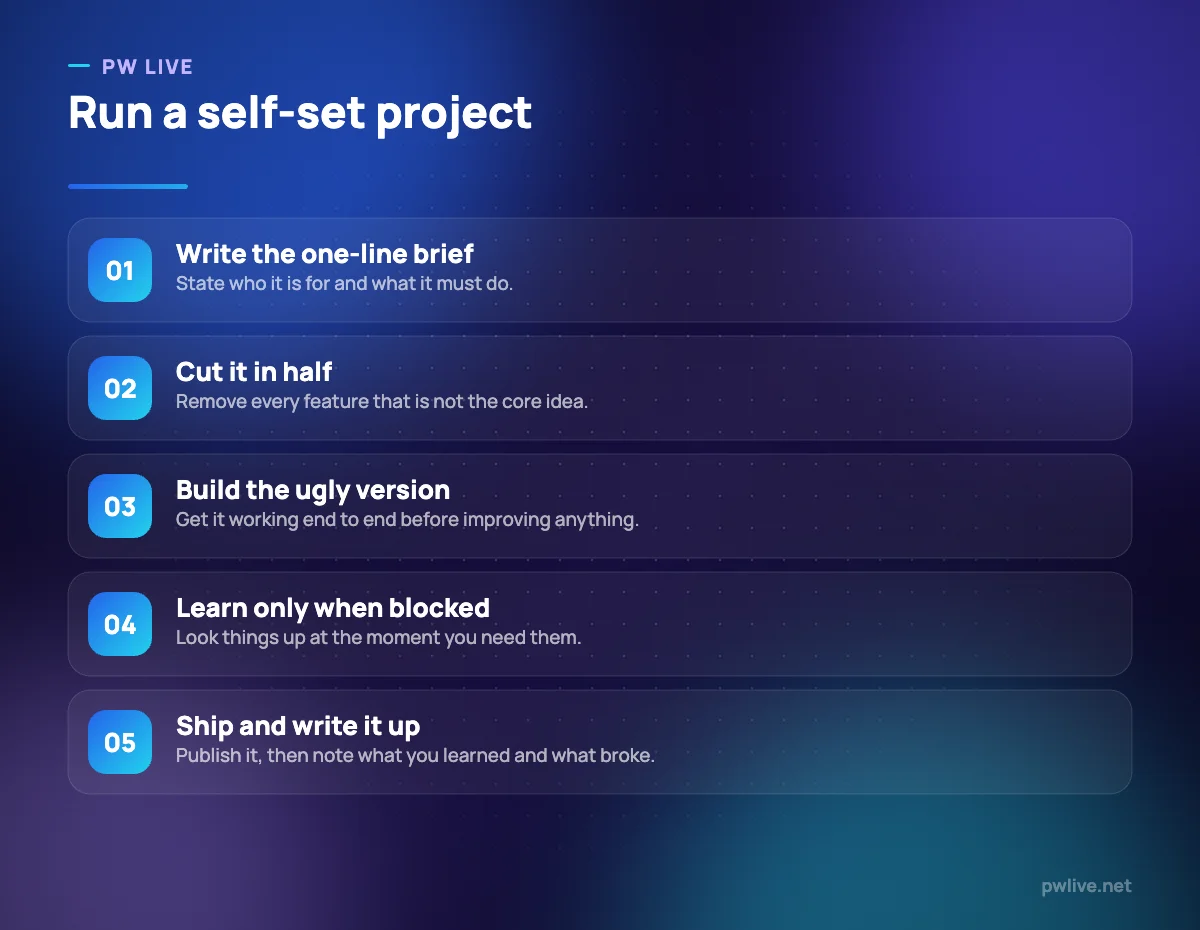
Write your brief in one line: “a thing that does X for Y”. Then cut it in half. Then cut the remaining half by removing everything that is not the core idea.
Concrete scoping rules that help:
- One user, one job. No settings, no accounts, no second use case in version one.
- Ugly first. No visual polish until it works end to end.
- Two weeks maximum for version one, with a fixed end date in your calendar.
- Write the “not doing” list explicitly, so future you does not quietly re-add features.
This is the same discipline behind building an MVP without a technical co-founder: decide the smallest version that is genuinely useful, and defend it.
Learn just in time, not just in case
The reflex when you hit something you do not know is to stop and take a course on it. Resist that. It is how projects turn back into tutorials.
Use a stuck ladder instead, in order:
- Re-read your own error or requirement carefully. A surprising amount of stuckness is misreading.
- Search for the exact problem, not the general topic.
- Read the official documentation for the one function or concept involved.
- Look at how someone else solved the same specific problem, then close it and write your own version.
- Ask a narrow question in a community, including what you tried.
- Only then, if the gap is conceptual and large, spend an hour on structured material about that one concept.
The aim is to learn the smallest thing that unblocks you and return to the work. Concepts learned in the middle of a real problem stick far better than the same concepts learned in advance, because they arrive attached to a memory of needing them.
What to do when you are stuck for days
Some blocks are not solvable by another search. Three moves usually break them.
- Shrink the problem. Reproduce the failure in the smallest possible example, with everything else removed.
- Change the medium. Explain the problem out loud, or write it as a message you never send. Forcing yourself into full sentences exposes the wrong assumption surprisingly often.
- Take the boring route. The clever approach can wait. Do it manually, slowly, badly, and get it working.
If the stuckness is really avoidance rather than difficulty, treat it as such. Our toolkit for beating procrastination is more useful in those weeks than any technical resource.
Finish, ship and write it up
An unfinished project teaches you the middle of a skill and none of the end, which is where most of the difficulty lives. Push through the last ten per cent even when the excitement has gone.
Then do the part almost everyone skips: write up what you built, what decisions you made, what broke and what you would do differently. That write-up is what converts the experience into something others can evaluate, and reviewing your own decisions afterwards is a form of deliberate practice.
Finally, choose the next project to attack a different weakness rather than repeating your comfort zone. Whether you are working through the coding and programming track or the design and creativity track, the sequence of projects matters as much as any single one. The rest of the skills development category has the supporting systems for keeping that sequence going.
Key takeaways
- Tutorials teach instruction-following; projects teach decision-making.
- A real project has a user, self-defined requirements, a chance of failure and a visible result.
- Choose a small project you genuinely want to exist, then halve the scope.
- Learn just in time: unblock yourself with the smallest lesson and return to the work.
- Break long blocks by shrinking the problem, explaining it out loud or taking the boring route.
- Always finish and write it up, then pick the next project to target a new weakness.
Frequently asked questions
When am I ready to leave tutorials and start a project?
Once you understand the basic vocabulary of the skill, usually after a few hours. You are not supposed to feel ready; the discomfort is the learning.
What if my project is not original?
Originality is irrelevant for learning. A common idea built by you, with your own decisions and no tutorial open, teaches exactly as much as a novel one.
How do I know if my project is good enough to show?
If it works, solves a stated problem and you can explain your decisions, it is good enough. Polish matters less than a clear write-up.
Should I use AI tools while building a project?
Use them as a reviewer and explainer rather than an author. If the tool writes the parts you find hard, you have outsourced precisely the learning you were there for.
Keep learning with PW Live
Browse every guide in Skills Development, or pick a skill track and follow the roadmap step by step.





Leave a Reply