

If you have heard developers talk about “hitting the API” and nodded along, this is the explanation you were looking for. What is an API, in plain English? It is a defined way for one piece of software to ask another piece of software for something.
That is it. No graphical interface, no human clicking buttons. One program makes a request in an agreed format, another program sends back an answer in an agreed format.
You already rely on dozens of them daily. When a shopping site shows a live delivery estimate, when an app lets you sign in with an existing account, when a weather widget updates on your home screen, an API is doing the work behind the scenes.
The restaurant analogy, and where it stops
The standard analogy is a restaurant. The kitchen is the system that holds the data and does the work. You do not walk in and start cooking. You read a menu of what is available, tell the waiter what you want in the expected format, and food comes back.
The API is the menu plus the waiter. It defines what you may ask for, how to ask, and what you get in return. The kitchen stays private, which is the point: the restaurant can rearrange the kitchen entirely and your ordering process does not change.
Where the analogy stops is worth noting. An API is not a person interpreting a vague request. It is rigid. Ask in slightly the wrong format and you get an error rather than a helpful clarification. Precision is the whole deal.
APIs you already use without noticing
- Sign in with an existing account. The app never sees your password. It asks the identity provider to confirm who you are, and gets back a token saying “this person is verified”.
- Maps inside another app. A food delivery app is not building its own mapping data. It requests a map and a route through an API.
- Payments. When you pay online, the store’s server asks a payment provider’s API to process the transaction and waits for approval or refusal.
- Live shipping status. The courier’s system publishes tracking data; the seller’s site requests it and shows it to you.
- Weather, currency rates, exam notifications, transport timings. All the same pattern.
Notice the common thread. In each case, one organisation holds data or capability, and another organisation borrows it without copying the underlying system.
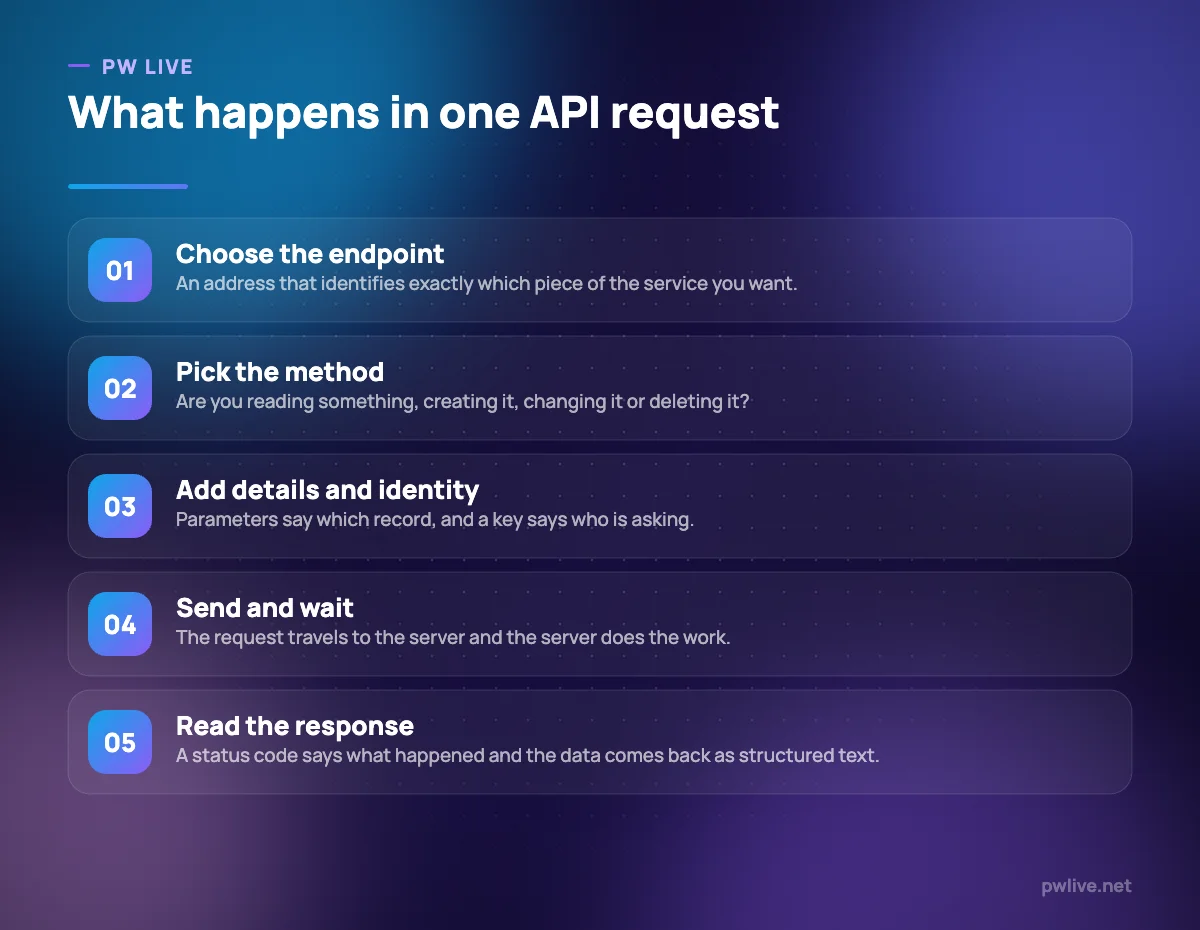
The four parts of a request
Almost every web API you meet works the same way. Once you can name these four parts, documentation stops being intimidating.
The endpoint is an address, and it looks like a web address because it is one. Something like /users/42/orders reads as “the orders belonging to user 42”. Different endpoints expose different pieces of the service.
The method says what you want to do. The common four are read, create, update and delete. The distinction matters: reading is safe and repeatable, while creating twice by accident may charge someone twice.
The parameters and body carry the details. Which date range, which page of results, which fields you want, or the content of the record you are creating.
The response comes back in two parts: a status code and a payload. The code is a short number telling you what happened, and the payload is the actual data, usually formatted as JSON.
JSON is worth thirty seconds of your attention because you will see it constantly. It is structured text with labelled fields, readable by both people and programs. If you can read a nested bullet list, you can read JSON.
Status codes, keys and rate limits
Three things confuse beginners more than anything else, and all three are simple.
Status codes are grouped by their first digit. Codes in the 200s mean it worked. The 400s mean your request had a problem: wrong address, missing information, not authorised. The 500s mean the server broke. That grouping alone tells you whether to fix your request or wait and retry.
API keys identify who is asking. Public data may need none, but most services issue you a key so they can track usage, apply your plan limits and cut you off if something goes wrong. Treat a key exactly like a password: never paste it into a public code repository, a shared document or a chat message. Keys leak this way constantly.
Rate limits cap how many requests you may make in a period. They exist so one badly written program cannot overwhelm a service everyone else depends on. When you hit one, the correct response is to slow down and retry after a pause, not to hammer the endpoint harder.
You will also meet webhooks, which are the reverse arrangement. Instead of you asking repeatedly whether something has happened, the service calls you when it does. Far more efficient for events like “a payment succeeded” or “a form was submitted”.
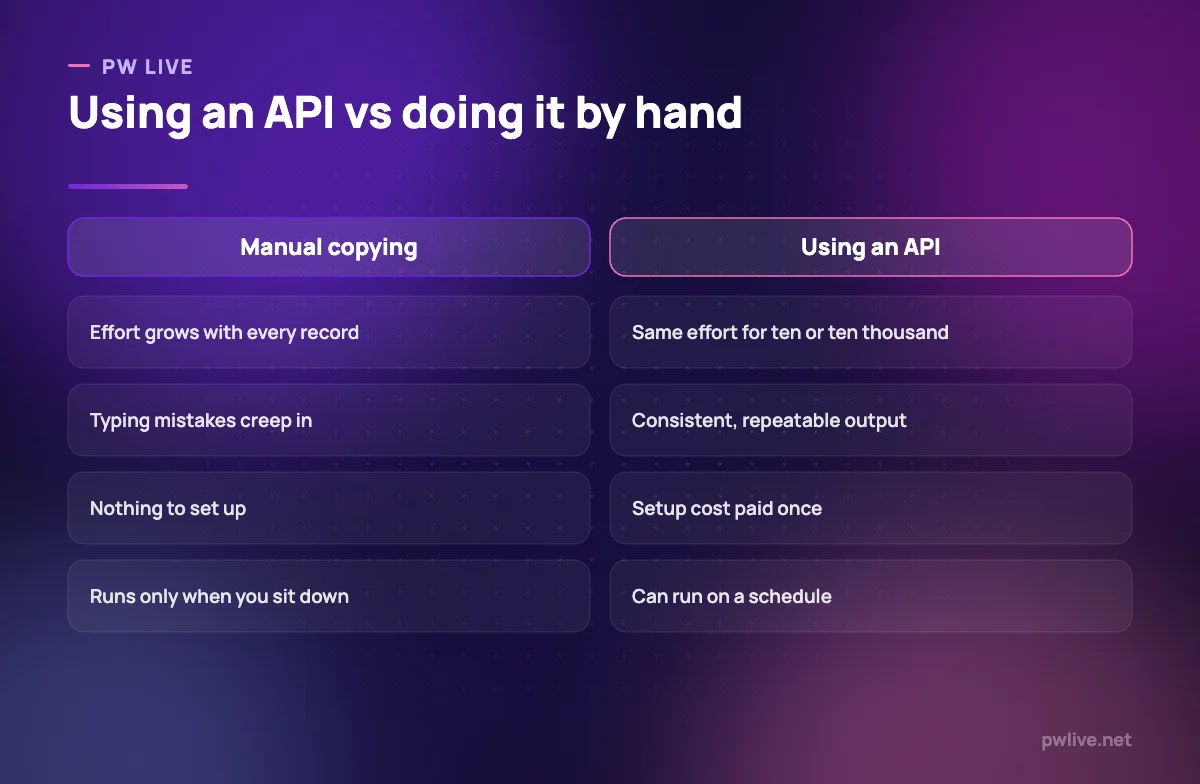
Why APIs matter for a small business
You do not need to write code to benefit from this. Most of the practical value comes from services that already speak to each other.
- Your systems stop drifting apart. An order placed on your store can create the invoice, update stock and notify you, without anyone retyping it.
- You avoid rebuilding solved problems. Payments, maps, messaging and document generation are all available as services you connect to.
- You can switch tools with less pain. Anything with a documented API can usually export its data in a usable form.
- You get real leverage from small automations. A daily summary assembled automatically is worth more than a dashboard nobody opens.
That last point is where most people should start. Our guide to automation for non-programmers covers how to wire services together using tools that handle the API calls for you.
When you are choosing software for your business, “does it have an API?” is a genuinely useful question. A tool that cannot talk to anything else becomes an island, and islands create manual work forever.
How to try your first API without writing code
You can get a feel for this in an afternoon. Work in this order.
- Find a free, public API that returns something simple: a currency rate, a public holiday list, a random fact.
- Read its documentation and locate the four parts: endpoint, method, parameters, response format.
- Open the endpoint in your browser. For a simple read request with no key required, the raw JSON appears on screen. That is a real API call.
- Try it in an API testing tool. These let you set methods, add a key and inspect the response properly, without any programming.
- Pull it into a spreadsheet. Most spreadsheet tools can fetch a web address and parse the result, which is often all a small business needs. Our guide to using spreadsheets for study planning and budgeting covers the basics of building on that.
- Then write ten lines of code to do the same thing. At that point the code is the easy part, because you already understand what it is doing.
If you plan to build something on top of an API, how to build an MVP without a technical co-founder shows how far you can get by connecting existing services. For the underlying skills, the coding and programming track is the right path, and the wider technology section covers the surrounding concepts, including cloud computing basics for where these services actually run.
Key takeaways
- An API is an agreed way for one program to request something from another.
- The interface is public and stable; the system behind it stays private and can change freely.
- Every request has an endpoint, a method, parameters and a response with a status code.
- Status codes in the 400s mean fix your request; the 500s mean the server failed.
- Treat API keys like passwords, and respect rate limits rather than retrying aggressively.
- You can explore APIs in a browser, a testing tool or a spreadsheet before writing any code.
Frequently asked questions
Do I need to know programming to use an API?
Not to start. You can inspect responses in a browser, test requests in a dedicated tool, and connect services through no-code automation platforms that handle the requests for you.
What is the difference between an API and a website?
They often sit on the same server and serve the same data. A website returns a page formatted for humans to look at; an API returns structured data formatted for programs to process.
Are APIs free to use?
Some are, many have a free tier with limits, and commercial ones charge by request volume or by plan. Check the pricing and the rate limits before you build anything that depends on one.
What happens if an API I depend on changes?
Well-run services version their APIs and announce deprecations in advance, so an older version keeps working while you migrate. This is a real risk to plan for, which is why you should avoid depending on undocumented behaviour.
Keep learning with PW Live
Browse every guide in Technology & Software, or pick a skill track and follow the roadmap step by step.





Leave a Reply