

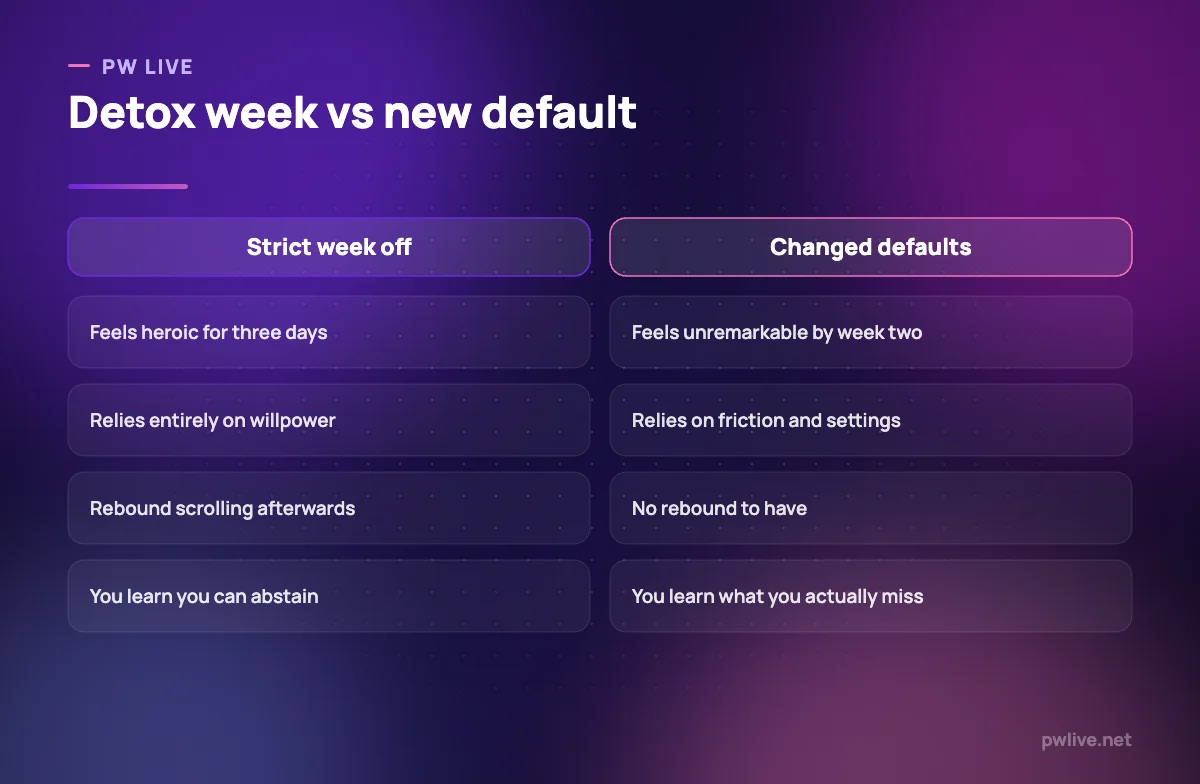
A digital detox is usually sold as a dramatic week without a phone, followed by a return to exactly the same habits. That is why most of them fail. The goal is not abstinence, it is changing the defaults so your phone stops taking hours you never chose to give it.
If you pick up your phone to check one thing and resurface twenty minutes later with no memory of the last nineteen, that is not a character flaw. These apps are carefully designed to produce exactly that.
This guide covers how to find out what is actually happening, how to change it with settings rather than willpower, and how to hold the change when exams and boredom push back.
Start by looking, not quitting
Before changing anything, spend two or three days simply observing. Open your phone’s screen time or digital wellbeing settings and look at the totals honestly.
Three numbers are worth noticing: total time, which app dominates, and how many times you pick the phone up. The pickup count is often the most revealing, because it shows how fragmented your attention has become.
Also notice the triggers. Most scrolling starts at a predictable moment: a hard question, a boring paragraph, the first minute of a study block, or the second you get into bed. Those moments are where the fix goes.
Change the defaults, not your willpower
Willpower is a poor tool against an app designed by a team of professionals. Friction works far better, and it only has to be set up once.
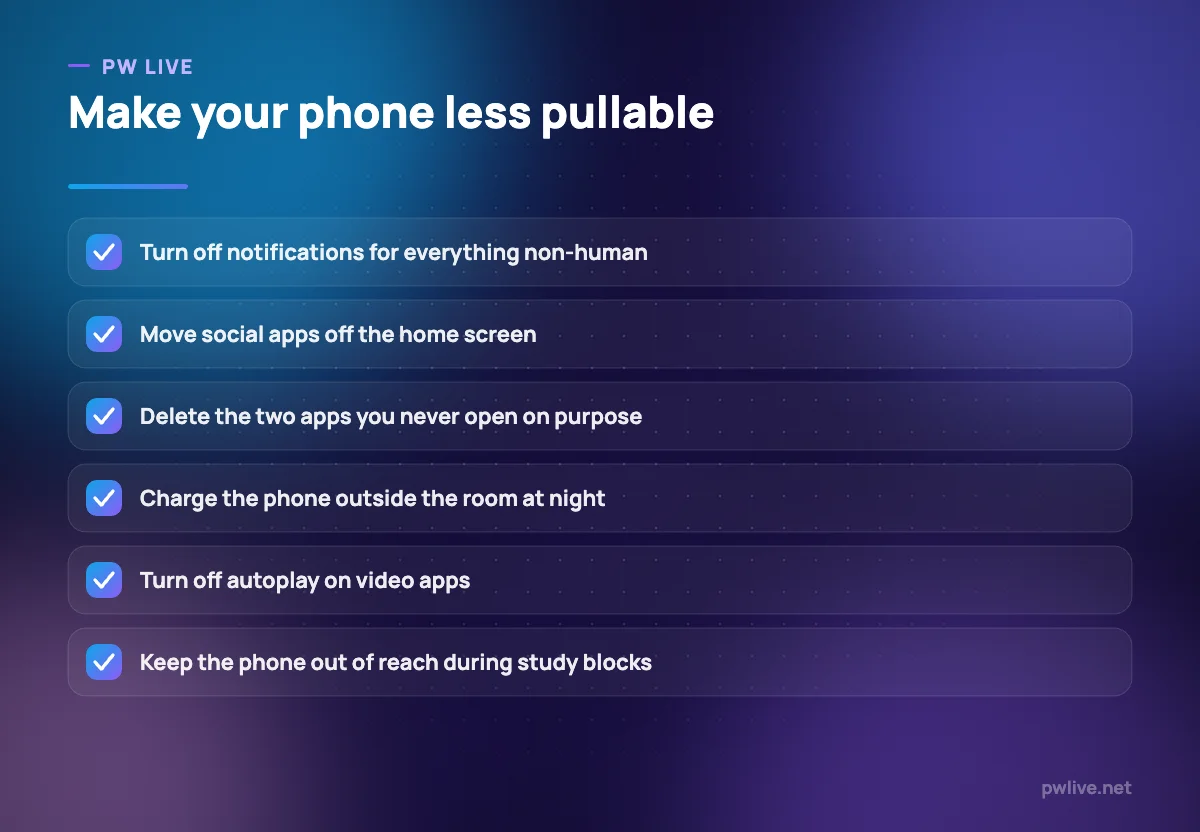
- Turn off notifications for everything except actual humans messaging you. This alone usually cuts pickups sharply.
- Move social and video apps off the home screen into a folder on a later page, so opening them takes deliberate effort.
- Turn off autoplay so the next video does not start on its own.
- Use greyscale if you want a stronger version. Colour is a large part of what makes feeds compelling.
- Set app limits, and accept that you can override them. The prompt itself is the useful part.
- Charge your phone outside the bedroom. This is the single highest-impact change most students make.
None of this requires discipline after the first ten minutes. That is the point.
Give the phone a place instead of carrying it
Most phone use is proximity use. If it is in your hand, you will check it. If it is in another room, you mostly will not.
During study blocks, put the phone in a bag, a drawer or another room. Face down on the desk is not far enough. If you need it for the alarm or a timer, use a clock or your laptop instead.
Decide two or three phone-free zones and hold them: the study desk during blocks, the dining table, and the bedroom after a set hour. Zones are easier to keep than time limits because they need no judgement in the moment.
Pairing this with a structured study block makes both easier, which is what our deep work routine for students is built around. If reaching for the phone is mostly an escape from difficult work, our guide to beating procrastination addresses the underlying pattern.
Replace the habit, do not just remove it
Removing scrolling leaves a gap, and gaps get filled by whatever is nearest. Decide in advance what fills it.
The best replacements are things you can start in under a minute and stop just as easily: stepping outside, making tea, a few pages of a book, some stretching, or a short walk. Our simple exercise routine for students works well here because most of it fits into a break.
Boredom is not an emergency. Some of the discomfort in the first week is simply the unfamiliar feeling of an unfilled moment, and it settles quickly. Sitting through it is part of the reset.
A realistic first week
If you want a structured start, this sequence is gentler than a total ban and holds up better afterwards.
- Days one and two: observe only. Look at your screen time and note your triggers. Change nothing.
- Day three: turn off non-human notifications and move social apps off the home screen.
- Day four: move the charger out of the bedroom and set a time after which the phone stays out.
- Day five: run two study blocks with the phone in another room, and note what you actually missed.
- Days six and seven: pick one longer phone-free stretch, such as a morning or an evening, and plan what you will do instead.
At the end of the week, keep whatever helped and drop whatever felt performative. The aim is a set of defaults you no longer think about, not a challenge you complete.
Handle the social side honestly
There is a real cost to going quiet. Group chats carry genuine information, friendships live in messages, and disappearing entirely can leave you out of the loop.
Deal with this directly rather than pretending it does not matter. Tell close friends you are checking messages at set times rather than instantly. Keep the apps that carry real relationships and cut the ones that only carry feeds.
Comparison is the other cost worth naming. Study-hour posts, rank talk and other people’s highlight reels reliably make a difficult term feel worse. Muting those accounts during exam season is a reasonable thing to do, and our exam anxiety guide explains why comparison feeds anxiety so effectively.
Keep your phone useful
The goal is not a phone you never touch. It is a phone that works for you.
Keep the tools that genuinely help: your calendar, a notes app, a spaced-repetition app, offline lectures, a timer. Our roundup of free apps and tools for studying covers the categories worth keeping, and our guide to using a calendar app as your study planner turns the phone into part of your system rather than a leak in it.
It is also worth reviewing what your apps collect while you are in there. Our digital privacy guide walks through permissions and settings, and the apps and tools archive and productivity skill track cover the rest.
When it is more than a habit
For most people, phone use is a habit problem that responds well to changed defaults. Sometimes it is doing a job, and that job is worth looking at.
If you notice you are reaching for the phone mainly to escape low mood, anxiety or loneliness, if cutting back leaves you feeling significantly worse, if your use is affecting your sleep, studies, relationships or daily life, or if you have tried repeatedly and cannot change it, please speak to a doctor, a counsellor, or a trusted adult or friend. That is a sensible conversation to have early, and there is nothing embarrassing about it.
The night-time side matters too. Late scrolling costs you the next day more than it gives you tonight, as our sleep and study guide sets out, and long screen hours bring their own strain, covered in our guide to screen fatigue and focus.
Key takeaways
- A digital detox works better as changed defaults than as a strict week off.
- Observe your screen time and pickup triggers for a few days before changing anything.
- Turn off non-human notifications, bury social apps and charge your phone outside your room.
- Use phone-free zones rather than time limits. Zones need no willpower in the moment.
- Decide in advance what fills the gap, and expect the first week of boredom to pass.
- If phone use is covering low mood or anxiety, or affecting daily life, speak to someone you trust or a professional.
Frequently asked questions
How long should a digital detox last?
Long enough to notice the difference, which is usually a few days. What matters more is what you keep afterwards, so treat the first week as an experiment rather than a challenge to complete.
Do I have to delete social media completely?
No. Most people do better by keeping the apps that carry real relationships, removing the ones that only carry feeds, and adding friction to the rest through notifications and home screen placement.
What if my studies genuinely need my phone?
Keep the useful tools and separate them from the distracting ones. A phone with a calendar, notes and lecture app but no feeds on the home screen is a study tool, not a distraction.
Why do I reach for my phone the moment work gets hard?
Because it reliably removes discomfort, which is exactly what the habit is for. Noticing the trigger and having a small replacement ready, such as standing up or stepping outside, breaks the loop more effectively than trying to resist it.
Keep learning with PW Live
Browse every guide in Health & Wellness, or pick a skill track and follow the roadmap step by step.





Leave a Reply