
Digital privacy is not about having something to hide. It is about not handing strangers a detailed file on your movements, your finances and your family for no benefit in return.
Most people assume the trade is a fair one: free apps in exchange for some advertising data. The reality is broader. A typical phone leaks location history, contact lists, app usage patterns and behavioural inferences to companies you have never heard of and cannot name.
The good news is that a meaningful improvement takes about half an hour, not a lifestyle change. This guide covers what is actually collected, how tracking works, and the specific settings worth changing today.
What apps actually collect
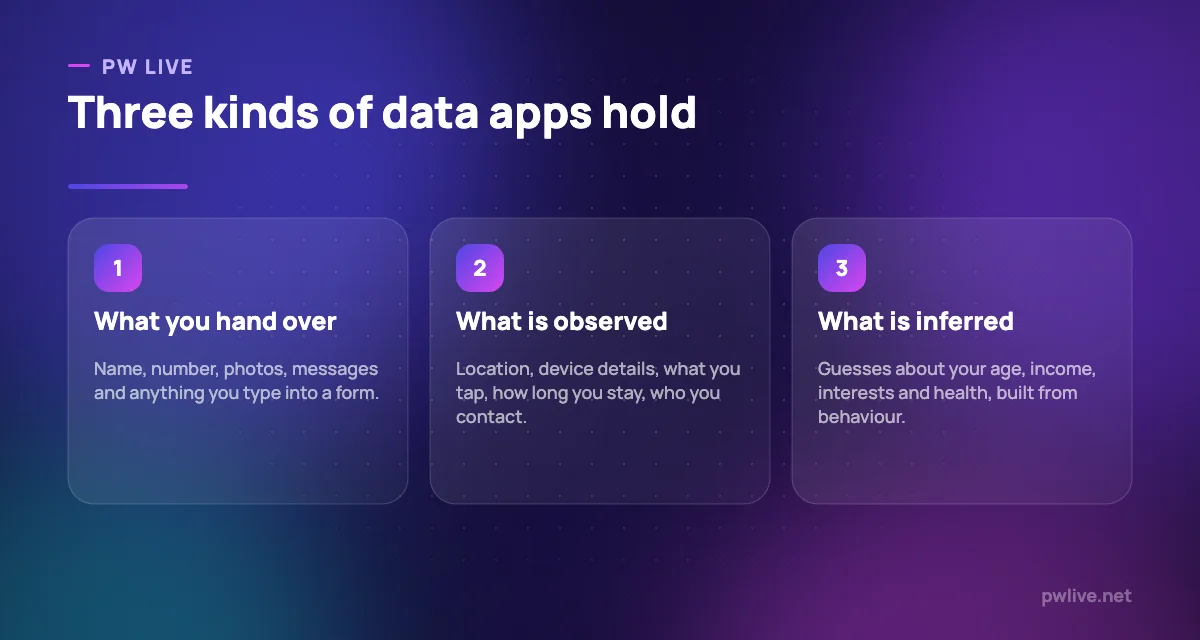
Data falls into three categories, and confusing them is why people underestimate the picture.
Data you provide is the obvious layer. Your name, email, phone number, date of birth, photos, messages, payment details, anything you type into a form.
Data collected automatically is larger and less visible. Your device model and operating system, your approximate or precise location, which screens you opened and for how long, what you tapped, when you use the app, your network and sometimes a list of other apps installed.
Data inferred about you is the layer that surprises people. From behaviour, systems build guesses: your likely age bracket, income range, relationship status, interests, whether you are shopping for something expensive, and sometimes sensitive categories like health conditions or religion. You never provided any of it, and you cannot correct it.
That third layer matters most. Inferences are not facts, they are used commercially as though they were, and they persist even when they are wrong.
Permissions: the ones that actually matter
Modern phones ask before granting access to sensitive capabilities. The problem is that people tap “allow” reflexively during setup and never revisit it.
Ranked by how much they reveal:
- Location. The most revealing permission by a distance. A continuous location trail exposes where you live, study, work, worship and receive medical care. Set apps to “while using” at most, and “never” for anything that does not obviously need it. A photo editor does not need your location.
- Contacts. Granting this uploads other people’s details, not just yours. They did not consent. Very few apps genuinely need it.
- Microphone and camera. Legitimate for calling and photography apps, rarely for anything else. Both major platforms now show an indicator when either is active.
- Photos. Prefer selecting individual images over granting access to the entire library.
- Notifications and background activity. Less sensitive, but background refresh lets an app keep reporting while you are not using it.
Go through your permissions app by app rather than by permission type. It is slower and far more revealing, because you see exactly what each app asked for.
If an app stops working after you revoke something, you have learned what it was really using. You can always grant it back.
How tracking follows you around
Two mechanisms do most of the work, and they operate differently.
On the web, tracking traditionally relied on cookies: small files stored by your browser. Third-party cookies, set by companies other than the site you are visiting, allowed the same firm to recognise you across thousands of sites. Browsers have been restricting these, which pushed the industry towards fingerprinting: identifying you by the combination of your screen size, fonts, time zone, browser version and hardware details, which is often unique enough to single you out without storing anything.
On phones, apps historically shared an advertising identifier, a resettable code that let different apps recognise the same device. Both platforms now let you turn it off or require apps to ask permission before tracking across other companies’ apps and sites. Turning that off is one of the highest-value single settings available to you.
There is also the layer beneath both: your internet provider and mobile operator can see which sites you connect to. Encrypted connections hide the content of pages, not the fact that you visited the domain.
The point of all this is profile building. Individual data points are dull. Combined, they produce a picture detailed enough to predict behaviour, which is what makes it valuable.
The settings worth changing today
Work through this list in order. None of it breaks anything important.
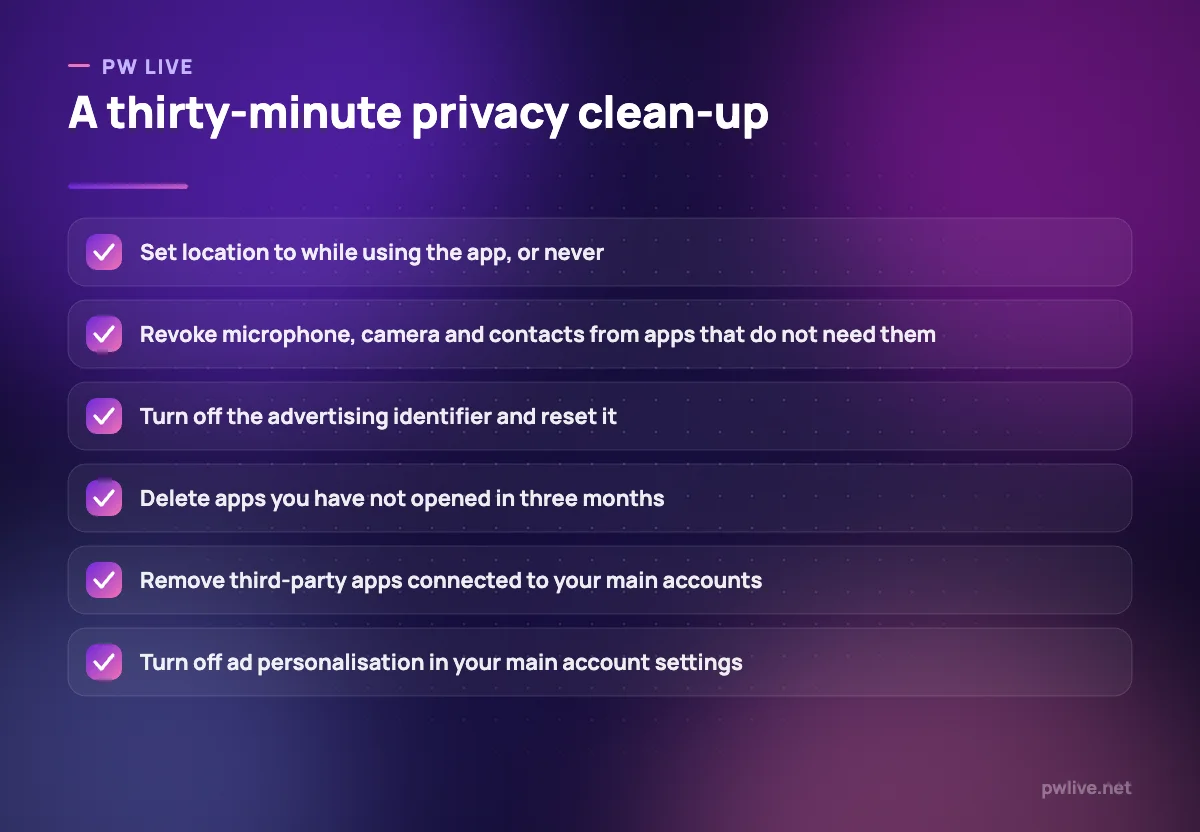
- Location. Review every app. “While using” or “never” for almost everything. Turn off precise location where an approximate one will do.
- Advertising identifier. Turn off app tracking, or reset and limit the identifier, depending on your platform.
- Ad personalisation. In your main platform account settings, switch off personalised advertising and clear the interest categories it has assigned you. Reading that list is instructive.
- Activity history. Search, location and voice history are usually on by default. Turn off what you do not want kept and set automatic deletion for the rest.
- Connected apps. Every account has a list of third-party services you granted access to, often years ago. Remove anything you do not actively use.
- Unused apps. Deleting an app you have not opened in months removes its permissions and its background data collection in one move.
- Browser settings. Block third-party cookies, and consider a browser or extension that blocks trackers. Fewer trackers also means faster pages.
- Lock screen previews. Notification content visible on a locked phone is a real everyday leak.
Do the phone first, because it collects the most. The browser second. Then your main account settings.
What to share and what to hold back
Settings reduce passive collection. Decisions reduce the rest.
Minimise at signup. Most forms mark only a few fields as required. Skip the rest. Your date of birth and phone number are not needed to read a newsletter.
Use aliases where possible. Many mail providers let you add a suffix to your address or generate forwarding aliases. If an alias starts receiving spam, you know exactly which company leaked or sold it.
Be careful with “sign in with” buttons. Convenient, and they create a link between accounts and share some profile data. Fine for low-stakes services, less so for anything sensitive.
Think before uploading other people’s data. Contact lists, group photos, screenshots of conversations. You are making a decision for someone who was not asked.
Assume anything typed into a free online tool may be retained. Before pasting identity documents, medical details, client information or unpublished work into any service, check its data policy. This applies particularly to AI chat tools, where the retention setting is often buried and worth finding, as we note in how large language models work.
Read the permission request, not the app description. What an app asks for tells you more than what it claims to do.
Privacy when you run a small business
If you hold customer data, you carry obligations as well as risk. The principles are simple even where the regulations are not.
- Collect only what you need. Every extra field is a liability you now have to protect.
- Say what you collect and why, in plain language, on your site.
- Restrict access. Not everyone in the business needs the customer list.
- Delete on a schedule. Data you no longer need is pure downside.
- Never send customer data through personal accounts or unmanaged spreadsheets shared by link.
- Get consent for marketing and make unsubscribing genuinely easy, as covered in email marketing basics.
Treat a breach as a business continuity issue rather than an IT issue. Know in advance who you would tell and how. Where the data physically lives also matters, which is one of the decisions in cloud computing basics.
Realistic expectations
Perfect privacy is not achievable while using modern services, and pretending otherwise leads people to give up entirely. The goal is proportionate reduction.
Think in tiers. Your identity documents, financial records, health information and private messages deserve real protection. Your reading habits and shopping browsing deserve reasonable defaults. Your public professional profile is meant to be seen.
The highest-value actions are unglamorous and quick: turn off cross-app tracking, fix your location permissions, delete unused apps, and remove old connected services. Those four cover a large share of the exposure for most people.
Pair this with the account protections in how to keep your accounts safe and a proper password manager, since privacy and security fail together. If your phone use itself is the problem rather than the data, our digital detox guide takes a different angle on the same device.
More in the technology section, and building these checks into a routine fits with the productivity skill track.
Key takeaways
- Apps hold three kinds of data: what you give, what they observe, and what they infer.
- Location and contacts are the most revealing permissions. Review them app by app.
- Tracking now relies as much on fingerprinting as on cookies, so settings alone are not complete.
- Turning off the advertising identifier and ad personalisation is the fastest meaningful win.
- Minimise what you provide at signup, and use email aliases to trace leaks.
- If you hold customer data, collect less, restrict access and delete on a schedule.
Frequently asked questions
Is my phone listening to my conversations?
There is no credible evidence of mainstream apps secretly recording conversations for advertising, and both platforms now show an indicator whenever the microphone is active. Uncannily relevant ads are usually explained by location data, shared networks and detailed behavioural profiles.
Does private browsing mode make me anonymous?
No. It stops your browser storing history and cookies on that device, which is useful on a shared computer. The sites you visit, your employer or college network, and your internet provider can still see the connection.
Should I use a VPN?
A VPN moves the visibility of your browsing from your internet provider to the VPN provider, which is only an improvement if you trust them more. It helps on untrusted public networks and does nothing about tracking by the apps and sites you log into.
Can I get my data deleted from a service?
Many jurisdictions grant rights to access and delete personal data, and most large services provide a download and delete option in account settings. Deletion may be partial, since aggregated and inferred data is often retained in forms the company argues no longer identify you.
Keep learning with PW Live
Browse every guide in Technology & Software, or pick a skill track and follow the roadmap step by step.





Leave a Reply