

A to-do list tells you what to do; using a calendar app as your study planner tells you when, and that is the part most study plans are missing.
Lists grow without limit. Calendars do not, because a week has a fixed number of hours and the app will not pretend otherwise. That constraint is the whole benefit.
This guide is about method, not products. Any calendar that syncs across your phone and laptop will do. What follows is how to set one up, what to put in it, what to keep out, and how to keep it honest when the week goes sideways.
Why a calendar beats a to-do list for study
A task list lets you write “revise organic chemistry” and feel organised. A calendar forces the follow-up question: on which day, for how long, instead of what?
Three things change once study lives on a calendar.
- You see the real amount of free time you have, which is usually less than you assumed.
- Every commitment costs something visible, so saying yes gets harder in a useful way.
- Missed sessions leave evidence, which makes the weekly review possible.
The plan still needs a shape above the week. Build that first with our guide to a weekly study timetable that survives real life, then use the calendar as the place it lives.
Set up the calendar in one sitting
Do this once, properly, and you will only adjust it afterwards.
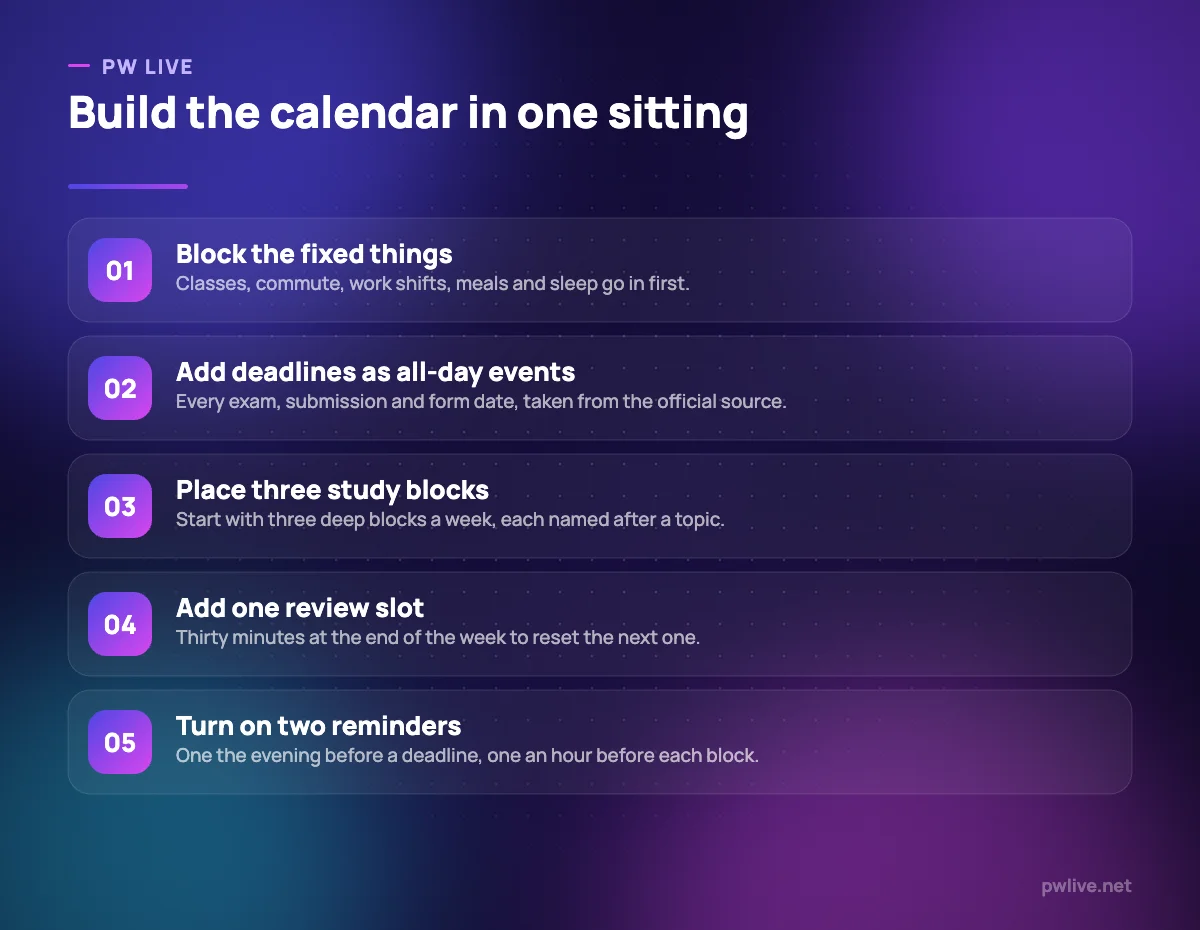
- Create separate calendars for classes, study, deadlines and personal life. Separate colours mean you can read the week in one glance and hide layers when they get noisy.
- Enter the fixed blocks. Lectures, labs, travel, part-time work, meals, sleep. Study goes in the space that is left, not the space you wish existed.
- Enter every deadline as an all-day event, copied from the official notice or portal, not from a classmate’s message.
- Add three study blocks to start. Three that happen beat nine that do not.
- Add one 30-minute weekly review at a time you are reliably at your desk.
Set the whole thing to sync across devices before you add anything else. A planner you cannot check on your phone at the bus stop is a planner you will stop checking.
Write study blocks that you will actually keep
The name of the block decides whether you start on time. “Study” is a vague obligation. “Rotational motion: problems 1 to 15” is an instruction.
Good blocks share a few properties:
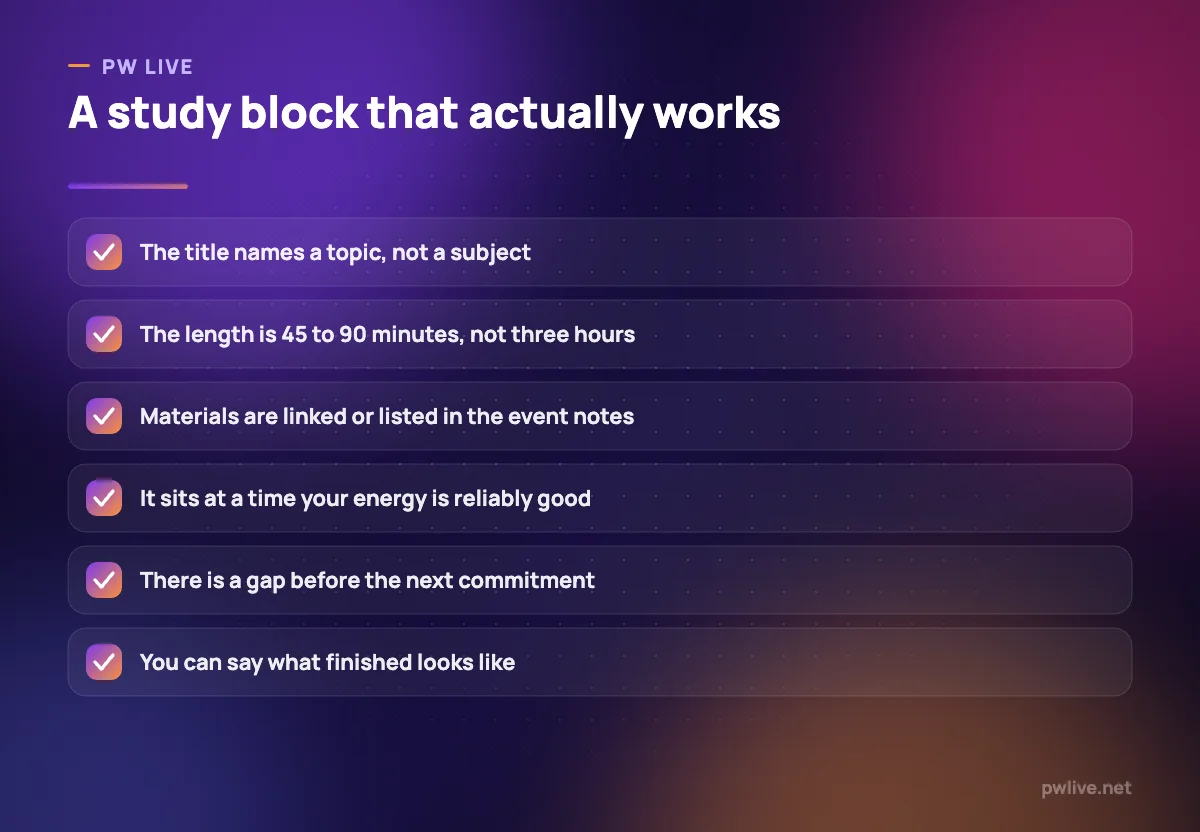
- A topic, not a subject. Subjects are too big to start.
- A defined finish. A page range, a problem set, a number of cards, a completed past paper section.
- A realistic length. Most people hold focus for 45 to 90 minutes. Anything longer is two blocks with a break between them.
- Materials attached. Put the chapter link, the PDF name or the video timestamp in the event description so the first five minutes are not spent hunting.
If you want the deeper version of this, time blocking covers how to protect the blocks once they exist, and deep work for students covers what to do inside them.
Use the calendar’s features properly
Most people use about a tenth of what a calendar can do. The parts worth learning:
- Recurring events for anything that repeats weekly. Set them once; edit the series, not each instance.
- All-day events for deadlines and exam dates, so they sit at the top of the day rather than colliding with a time slot.
- Two reminders per deadline: one a few days out to trigger work, one the evening before to trigger checking.
- Colour coding with a fixed meaning. Two or three colours you understand beat a rainbow you invent each week.
- A second time zone if you are attending live sessions or interviews scheduled elsewhere.
- Calendar invites for group study or project calls, so everyone gets the same time in their own time zone with no argument.
Turn off notifications you never act on. An alert you dismiss without reading trains you to dismiss all of them.
Plan for the week that goes wrong
Every honest study planner needs slack. A calendar packed to the edges breaks the first time a class overruns or you feel unwell, and once it is wrong you stop opening it.
Two habits fix this:
- Leave one empty block per week, deliberately. Call it catch-up. If nothing slips, you get a free evening, which is a reward and not a failure.
- Reschedule instead of deleting. Dragging a missed block to Saturday keeps the commitment visible. Deleting it quietly removes the evidence.
Aim for roughly two-thirds of your available time to be scheduled. The remaining third absorbs real life.
Review weekly, adjust monthly
The calendar only stays accurate if something forces it back to reality. That is the job of the weekly review, and thirty minutes is enough.
Ask four questions:
- Which blocks happened, and which did not?
- Was the reason a bad plan, a bad time slot, or a genuine emergency?
- What is coming in the next two weeks that needs work starting now?
- What one change would make next week more realistic?
Then move the next week’s blocks accordingly. Our guide to the weekly review habit has a longer version of this routine, and it pairs naturally with the productivity skill track.
Connect the calendar to the rest of your system
A calendar is a scheduling tool, not a filing cabinet. Keep the supporting material where it belongs.
Deadlines, marks and long-range targets are easier to track in a sheet, which is covered in spreadsheets for study planning and budgeting. Notes stay in your notes app. Exam-scale plans belong in a longer timeline like our six-month preparation timeline, with the calendar carrying only this fortnight’s version of it.
Compare current calendar options yourself before committing, especially on sharing and offline access, and check what else is worth adding in our apps and tools category.
Key takeaways
- A calendar forces you to answer when, which a to-do list never does.
- Enter fixed commitments and deadlines first; study fills the space that remains.
- Name blocks by topic with a clear finish line, and attach the materials.
- Schedule about two-thirds of your free time and keep one catch-up block spare.
- Reschedule missed blocks rather than deleting them, so the week stays honest.
- Run a 30-minute weekly review to reset the plan before it drifts.
Frequently asked questions
How far ahead should I plan my calendar?
Plan the next two weeks in detail and keep only deadlines and fixed events beyond that, because anything further out will change before you reach it.
Should study blocks include breaks?
Yes. Schedule the break as part of the block or immediately after it, otherwise a five-minute pause quietly becomes an hour.
What if my timetable changes every week?
Use recurring events for anything stable, and rebuild only the variable blocks during your weekly review. Rebuilding from scratch each week is what makes people quit.
Is a paper planner worse than a calendar app?
Paper is fine if you carry it everywhere and never miss a change. An app wins mainly on reminders, sharing and being available on the device already in your hand.
Keep learning with PW Live
Browse every guide in Apps & Tools, or pick a skill track and follow the roadmap step by step.





Leave a Reply